
You just sent over 500 marketing emails to your distribution list, and you are now getting lots of “Undeliverable” emails back, then you realize that you have several emails stuck in the outbox – for some reason they were not sent.
Sounds like you need a list of what was sent, what wasn’t, and which emails are no longer valid, right?
No worries – Excel is here to help!
Step by Step
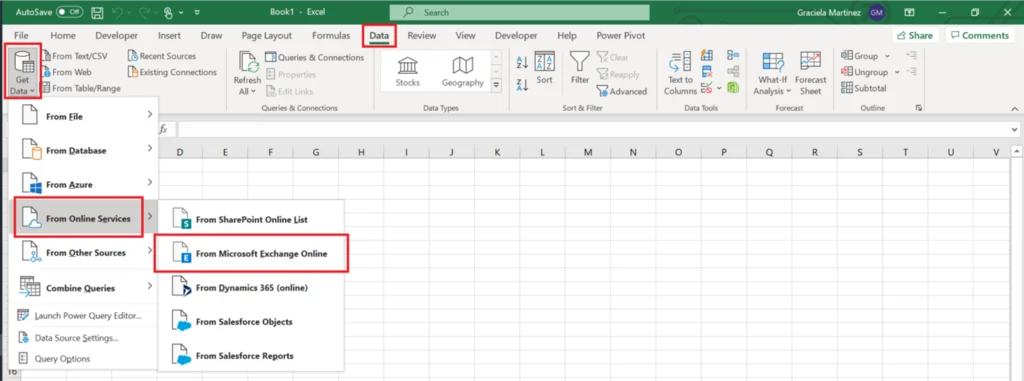
Open a new Excel workbook. Go to Data tab, then Get Data->From Online Services-> From Microsoft Exchange Online
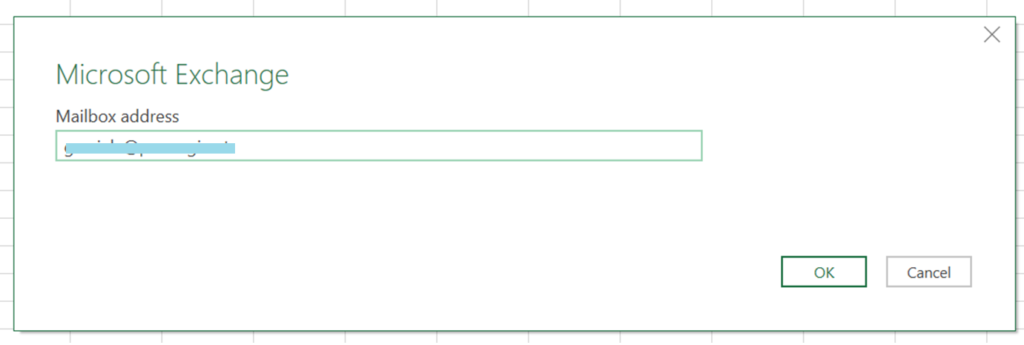
In the next window type the email address you need to list emails for.
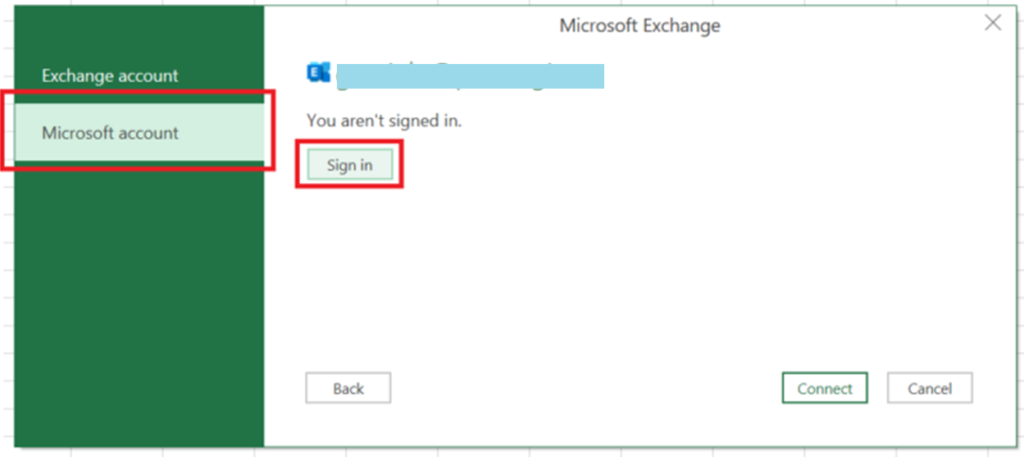
Select “Microsoft account” blade and then click on Sign in – input your user and password. Then Click Connect
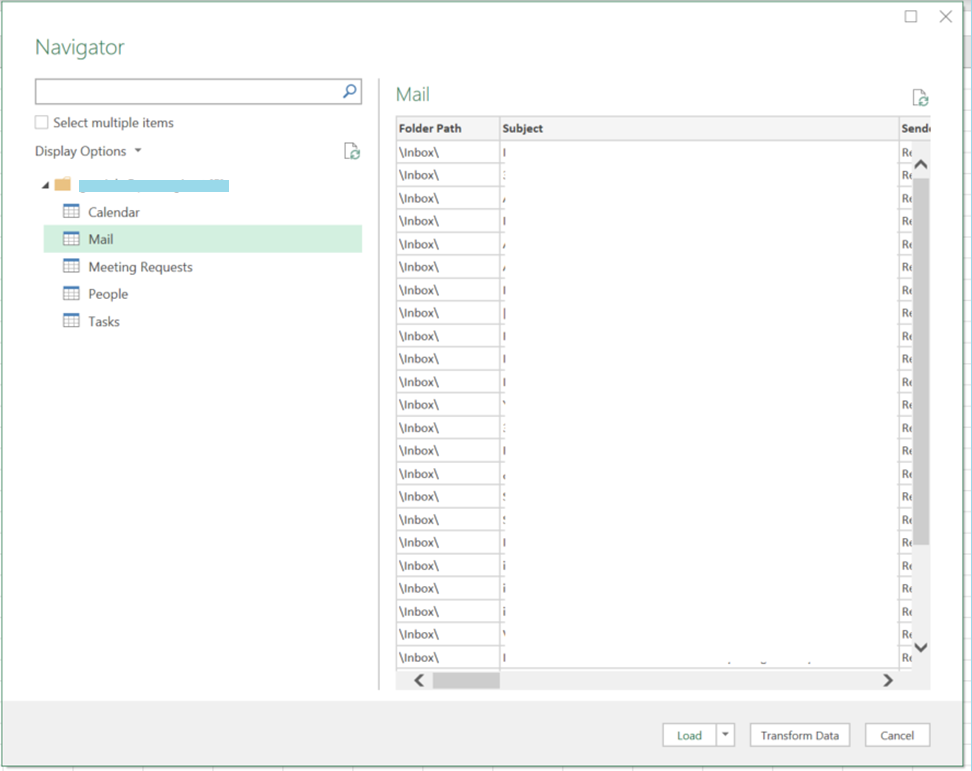
Once you are authorized to continue, you will see a screen with different options.
If you want to get your emails listed, select Mail.
If you want to see your calendar events, select Calendar.
After selecting the data that you need, just click on Transform Data.
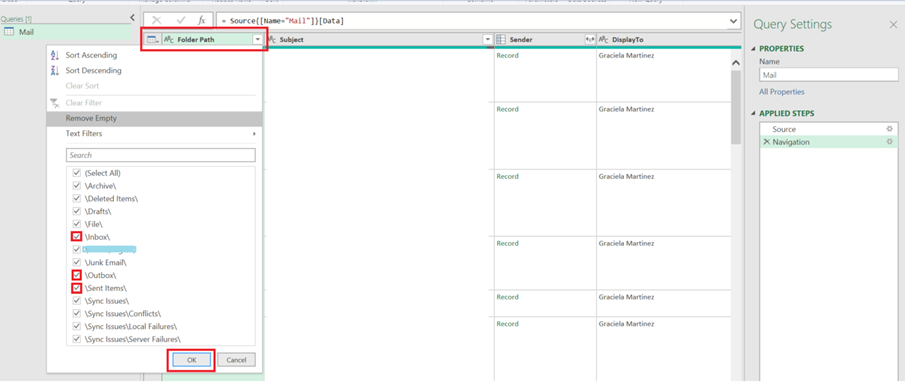
Use the “Folder Path” column to select the items you need to list in Excel. In this case we care about Inbox, Outbox and Sent Items
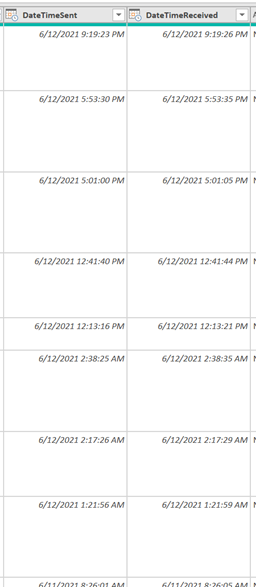
Additionally, you can use the Date columns to select only the dates you need.
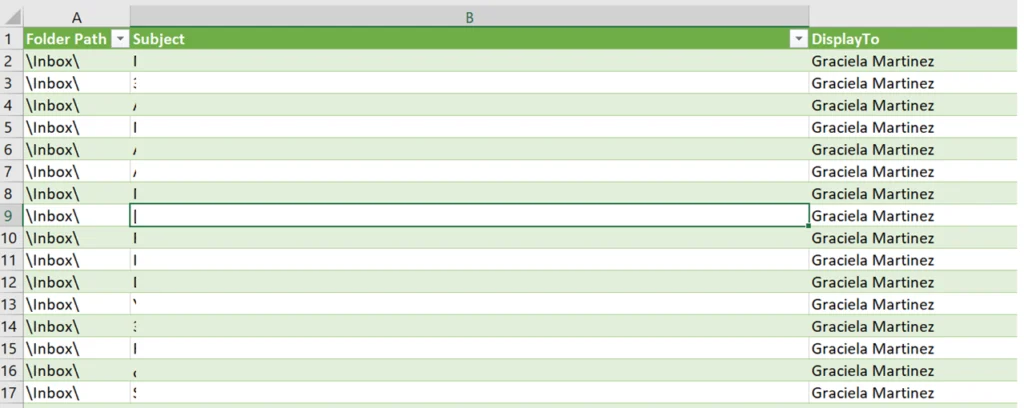
Once you are ready, just click on “Close and Load”. Wait for some seconds and you will have all the emails in Excel loaded to a Sheet.
Note that the above steps can also be done from Power BI.
All set! – use the results of this Query to answers the questions: Which emails were undeliverable? What is still stuck in the outbox? What is in my sent items? And much more!