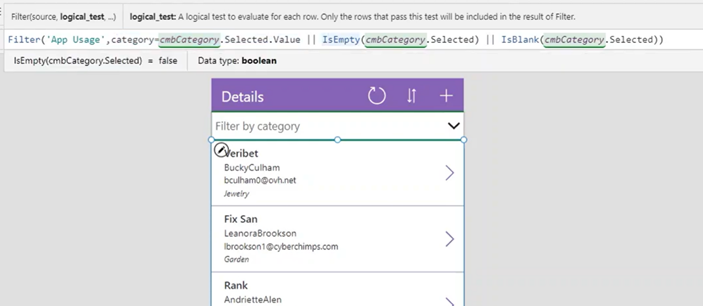
When you are using a combobox to filter a gallery based on the selection, you can check if the selection is blank or not, and depending on that, show only the records that match the combobox selection or show all records. This approach is commonly used in Power Apps consulting to enhance user experience and improve data filtering. In broader digital transformation projects, organizations often complement this with business applications consulting services to ensure scalable and efficient app design.
Incorporating Power Apps into your business can significantly enhance operational efficiency and user engagement. As experts in Power Platform Beratungsleistungen, we specialize in optimizing app functionality, ensuring your digital transformation efforts deliver both agility and scalability. Our approach involves using streamlined techniques, like leveraging comboboxes in Power Apps, for effective data management and seamless user experience.
For below scenario, we want to filter the Category of each record based on the selection in the combobox.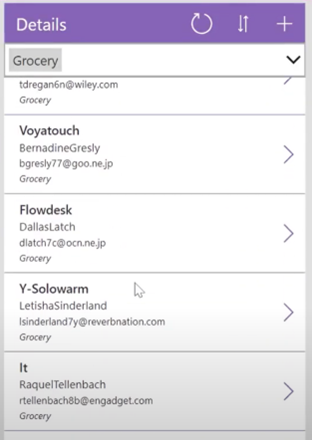
Below could be used for that purpose:
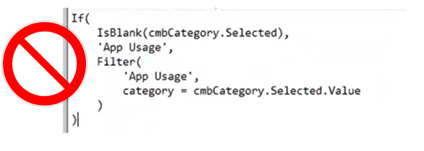
BUT there is a cleaner and simpler way to achieve this in Power Apps, all in a single line of code:

All done! Use this tip to keep your app code clean and easy!