This blog will show how to work with Epoch format in both seconds and milliseconds in Power Query. You can use the formulas shown in both Excel y Power BI.
From DateTime format to Epoch
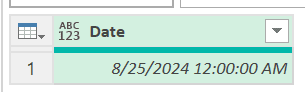
We will start with a regular date and we want to convert it to Epoch format:
Convierte tus ideas en soluciones digitales
Nuestro equipo te guía paso a paso para crear aplicaciones personalizadas en Power Platform.
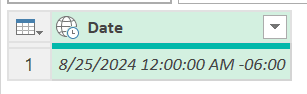
Convert the date column into a DateTime zone column:
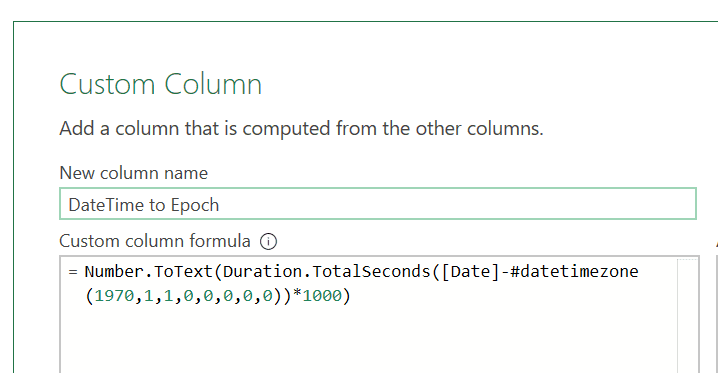
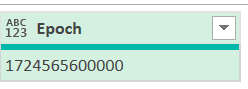
Add a calculated column referring to your date column:
If you’re exploring these conversions and need additional support, our Power Platform consulting services can streamline and optimize your data processes with tailored solutions. We specialize in transforming complex data into actionable insights, ensuring your tools are working at their best.
From Epoch to DateTime
We will start with this Epoch value and we want to convert it to DateTime format:
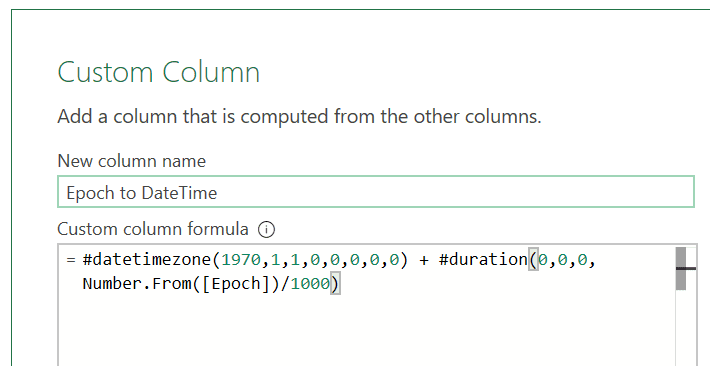
Add a calculated column referring to your epoch column:
Automatiza las tareas que te ralentizan
Libere el tiempo de su equipo y concéntrese en el trabajo estratégico con la automatización digital y robótica.