Personaliza formularios de aplicaciones controladas por modelos con JavaScript (1)

Personalización de aplicaciones basadas en modelos con JavaScript | Power Apps | Experiencia de formularios moderna

Tabla de Contenidos

This post and video will show how to customize Model-Driven apps integrating JavaScript code to set a tab in the form as visible or invisible, depending on another field in the form. This example is focused on a simple customization but the general process of Model-Driven Apps form customization with JavaScript usually follows the same steps:

  1. Set up form in Dataverse table
  2. Write JavaScript code
  3. Add the JavaScript library in the app or solution
  4. Import the JavaScript library to the form
  5. Assign a function to execute on an event such as form OnLoad or OnSave or field OnChange.

Use case description

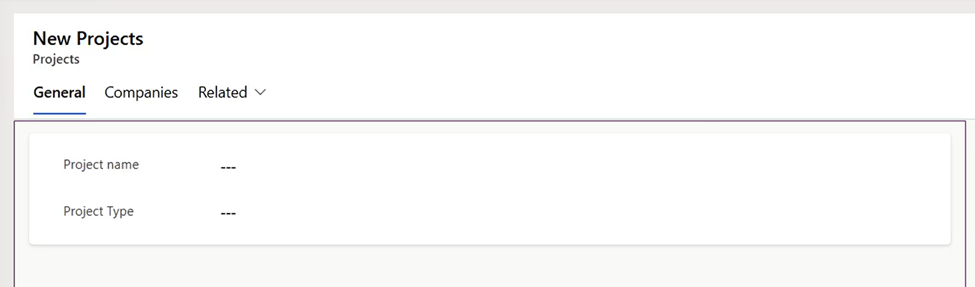
The example shown in the videos focuses on a project management scenario where projects can be categorized as belonging to a single company or multiple companies. The goal is to dynamically show or hide a “Companies” tab on the project form depending on the project type selected by the user.
Solution description

To address this, a JavaScript function is written to read the project type value from the form and conditionally hide or show the tab. The JavaScript is then uploaded as a web resource within the Dataverse environment and linked to the form events.

Convierte tus ideas en soluciones digitales

Nuestro equipo te guía paso a paso para crear aplicaciones personalizadas en Power Platform.

Step 1. Setting Up the Form

In the example, we’re working with a Projects table with a Project Type choice column (values: single company, multiple companies, etc.). A related table links projects to companies. The goal is to show a “Companies” tab only when the project type is “multiple companies.”

The form will have a single-column tab named Companies (backend name: tab_companies) and this the tab we want to dynamically hide or show based on the project type field.

Step 2. Creating the Model-Driven App

We need to create a new model-driven app is created within a solution, and add the Projects table as a new page.

Step 3. Writing JavaScript Code to Hide/Show Tab

				
					For this simple customization, this is the code being used:

function fxHideShowTab(executionContext) {
 var formContext = executionContext.getFormContext();
 var projectType = formContext.getAttribute('{column-name}').getValue();
 var detailTab = formContext.ui.tabs.get('{tab-name}');

 if (projectType == 891540000)
 {
  detailTab.setVisible(true);
 }
 else
 {
  detailTab.setVisible(false);
 }

}


Step 4. Uploading JavaScript code to Dataverse

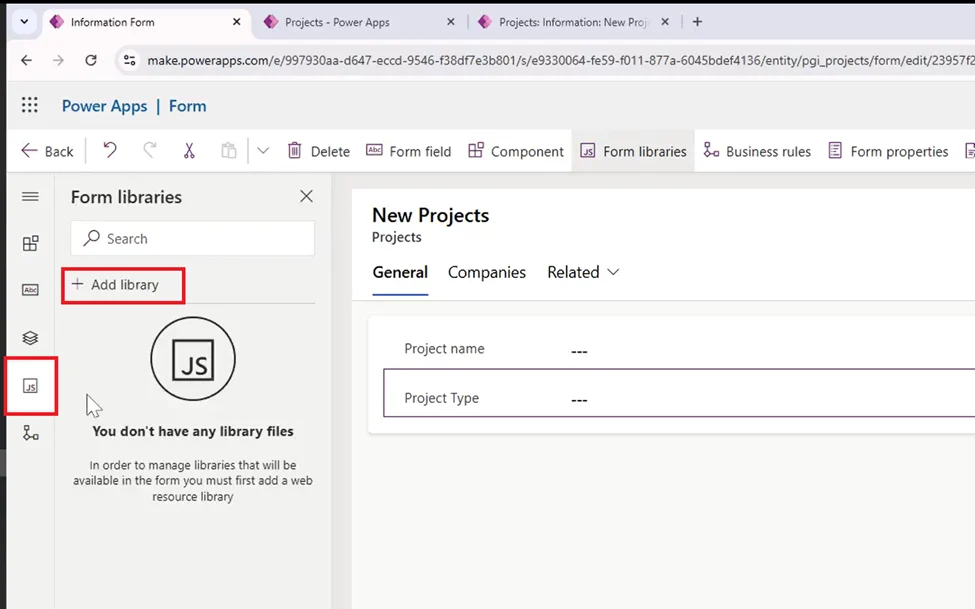
Go to JS and then “Add Library”

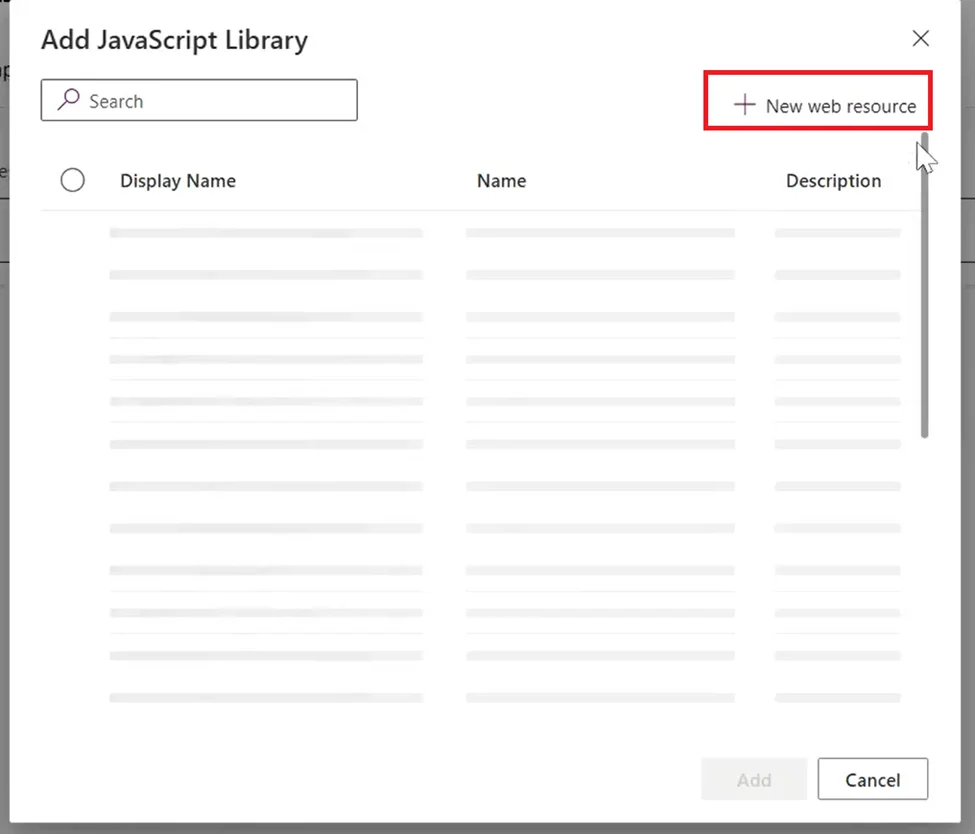
Next, click on “+ Web resource”
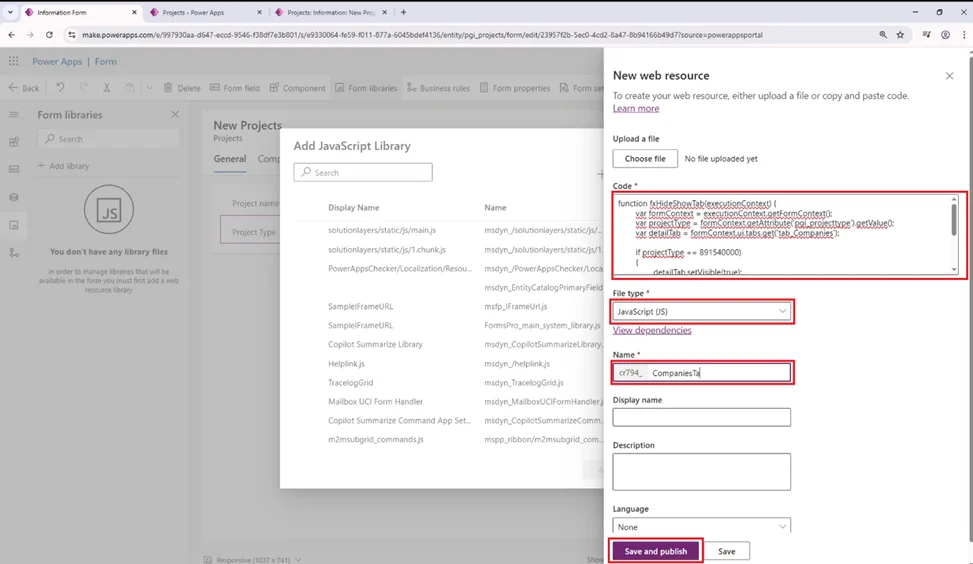
In the next panel, add the code, file name and type and Save and Publish
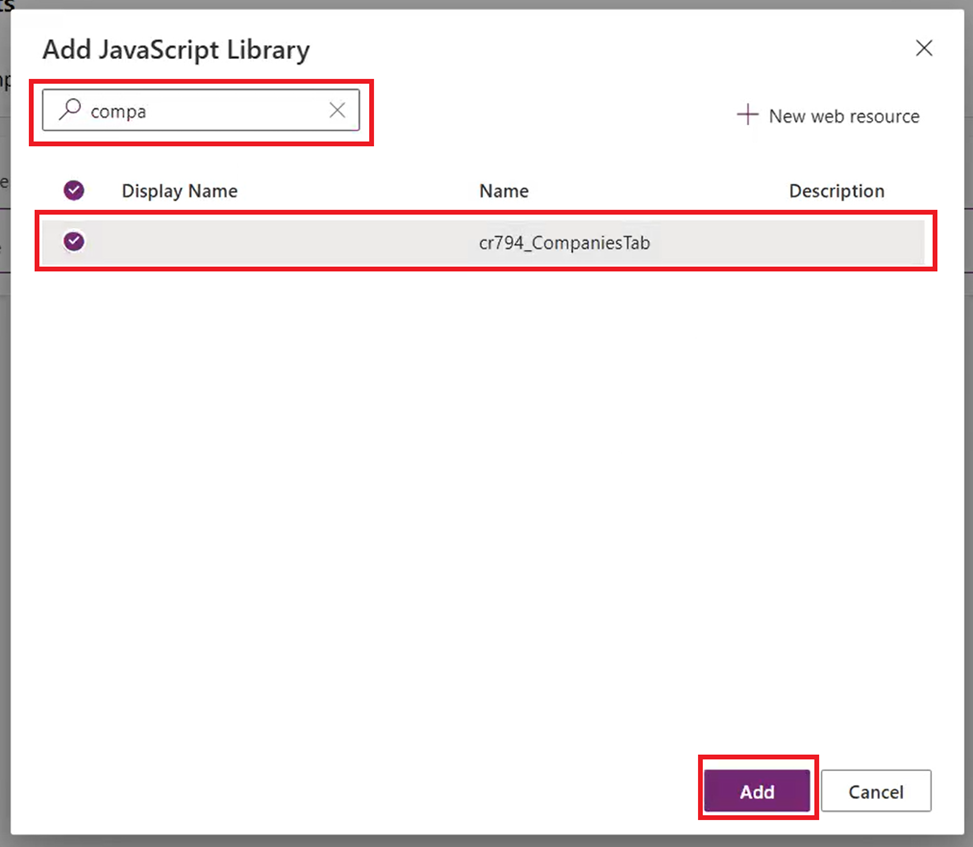
Once saved, we need to select the resource we just uploaded. Use the search bar to find it faster, select it and then click on add
Step 5. Adding event handlers to trigger the code

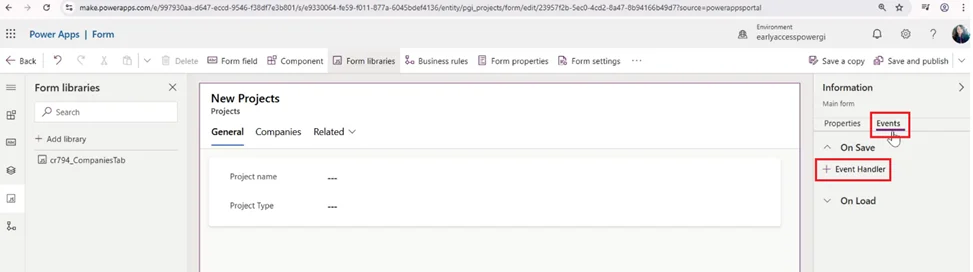
Go to the form’s events and add a new event handler
Automatiza las tareas que te ralentizan

Libere el tiempo de su equipo y concéntrese en el trabajo estratégico con la automatización digital y robótica.

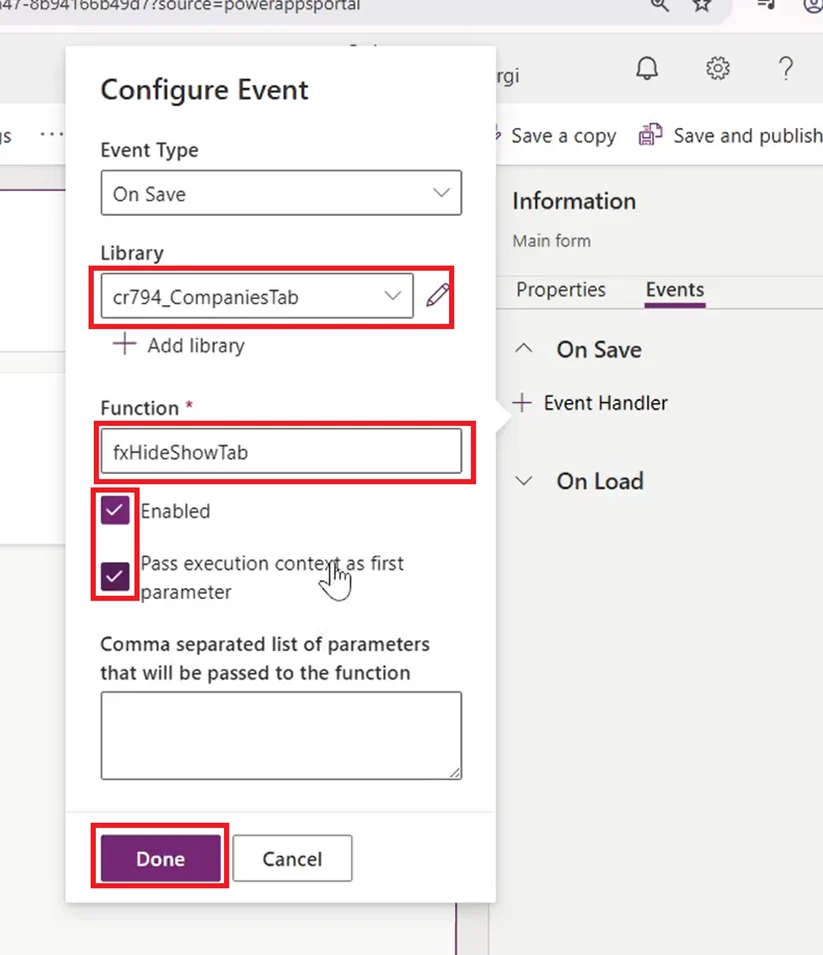
Select the library, function name and enable the two checkboxes:
After this is done we can test and run the app to make sure all works properly!

Step-by-step video walkthrough

Watch the video below to see a step-by-step walkthrough by Graciela, where she shows the process of Model-Driven App form customization with JavaScript

How our Power Apps Development services can help

Model-driven apps customization through JavaScript can be really powerful and can be applied to many different use cases such as validating subgrid content or hide fields from a Business Process flow to certain users. Using our Power Apps y Power Platform consulting services, we have implemented many customizations in model-driven apps and Dataverse forms, contáctanos, we’ll be more than happy to have a conversation and see how we can be of help for your team.

Autor
Consultor de Power Platform | Experto en Automatización de Procesos de Negocio
Consultor certificado de Microsoft Power Platform y Arquitecto de Soluciones con más de 4 años de experiencia aprovechando Power Platform, Microsoft 365 y Azure para descubrir continuamente oportunidades de automatización y reimaginar procesos.