Enviar datos binarios a través de HTTP en Power Automate

Enviar datos binarios en solicitudes HTTP | Power Automate

Tabla de Contenidos

Working with binary data in HTTP requests is a common requirement when integrating Power Automate with external systems and APIs, but handling binary content correctly requires an specific format in Power Automate to obtain successful responses from the API service.

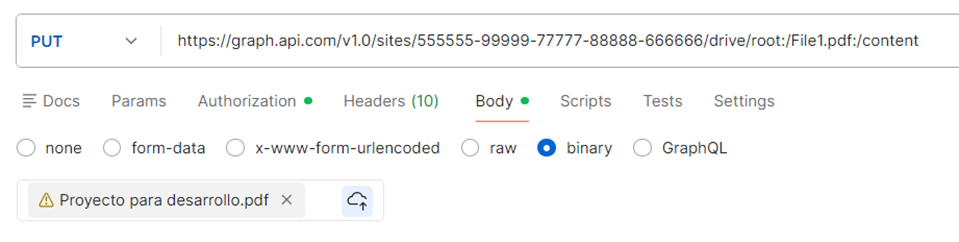
This is how a regular binary content request looks in Postman:
Automatiza las tareas que te ralentizan

Libere el tiempo de su equipo y concéntrese en el trabajo estratégico con la automatización digital y robótica.

In this guide, we’ll explain how to convert above and how to send binary data in Power Automate through the HTTP request action and how to combine it with SharePoint’s get file content.

Step 1. Get File content from SharePoint

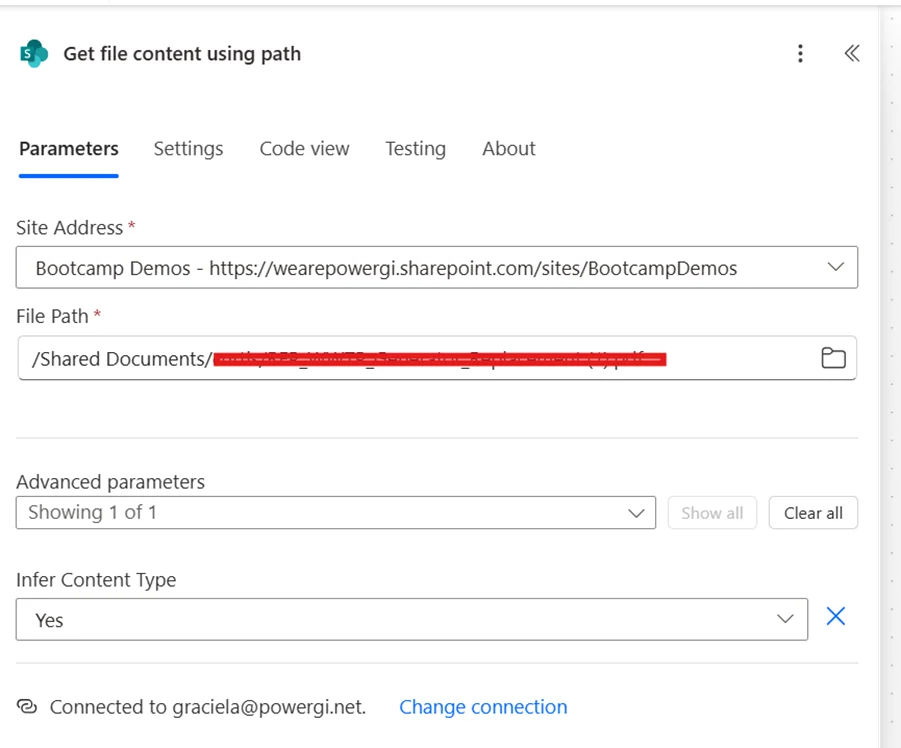
First, let’s get the content of the file we want to upload to the external system. For that, we will use the “Get file content” action from SharePoint.

For this example we’re directly selecting the PDF file from the file selector in Power Automate, but this can totally be dynamic content from another step if needed.
Step 2. Create HTTP request with binary data

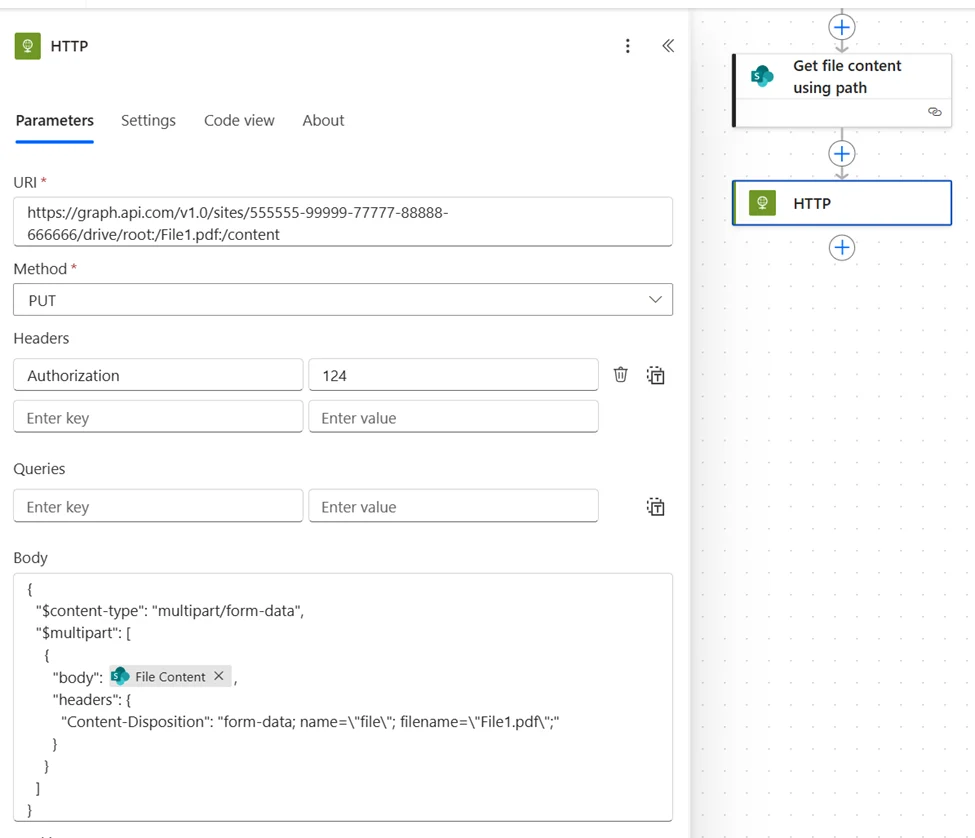
The body for the HTTP request when sending binary data is as follows:

				
					{
  "$content-type": "multipart/form-data",
  "$multipart": [
    {
      "body": {file content from previous step},
      "headers": {
        "Content-Disposition": "form-data; name=\"file\"; filename=\"{filename with extension}\";"
      }
    }
  ]
}


Result in Power Automate:

¿Está su negocio preparado para la automatización?

Automatiza procesos con Microsoft Power Platform.

How our Power Platform Development services can help

If you need help implementing HTTP requests, custom connectors or any type of integration between Power Automate and external systems, contáctanos and we’ll be more than happy to have a conversation and see how we can be of help to your team.

Autor
Consultor de Power Platform | Experto en Automatización de Procesos de Negocio
Consultor certificado de Microsoft Power Platform y Arquitecto de Soluciones con más de 4 años de experiencia aprovechando Power Platform, Microsoft 365 y Azure para descubrir continuamente oportunidades de automatización y reimaginar procesos.