Power Automate has great functionality to manage Approval workflows. With a couple of steps, you can get approval requests triggered to both Teams and Outlook, but a lot of companies are looking to reduce the number of emails received and sent, so they want to use just Teams instead.
Many businesses that rely on automation also seek Power Platform consulting services to optimize their workflow efficiency and ensure seamless integration with Microsoft tools.
In this post we show you how to set up your Flow in Power Automate to send notifications to Teams only!
For businesses aiming to optimize their automation processes, seeking Power Platform consulting services can be a game-changer. Our expert team works with you to ensure seamless integration and maximization of Microsoft’s powerful tools.
Step by Step
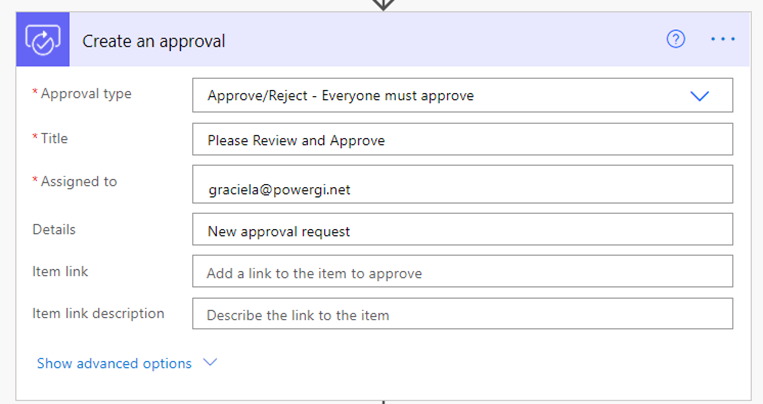
Add the “Create an Approval” card and Input the basic fields
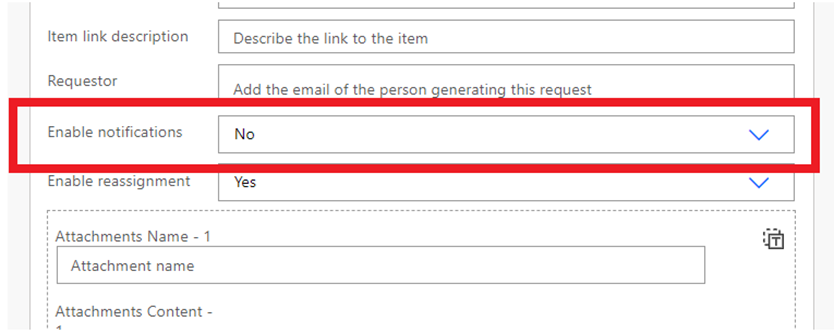
Click on “show advanced options”, set “Enable Notifications” to No
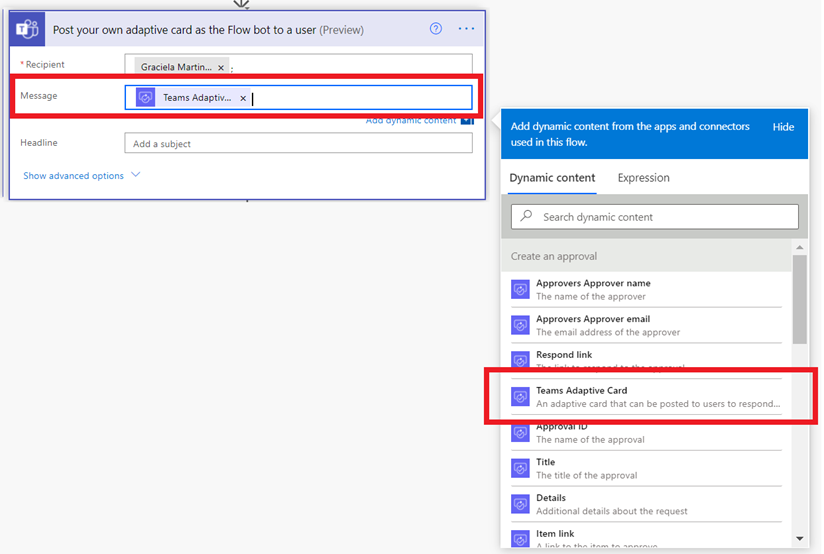
Add the “Post your own adaptive card as the Flow bot to a user” card. In the recipient use the approver(s) email
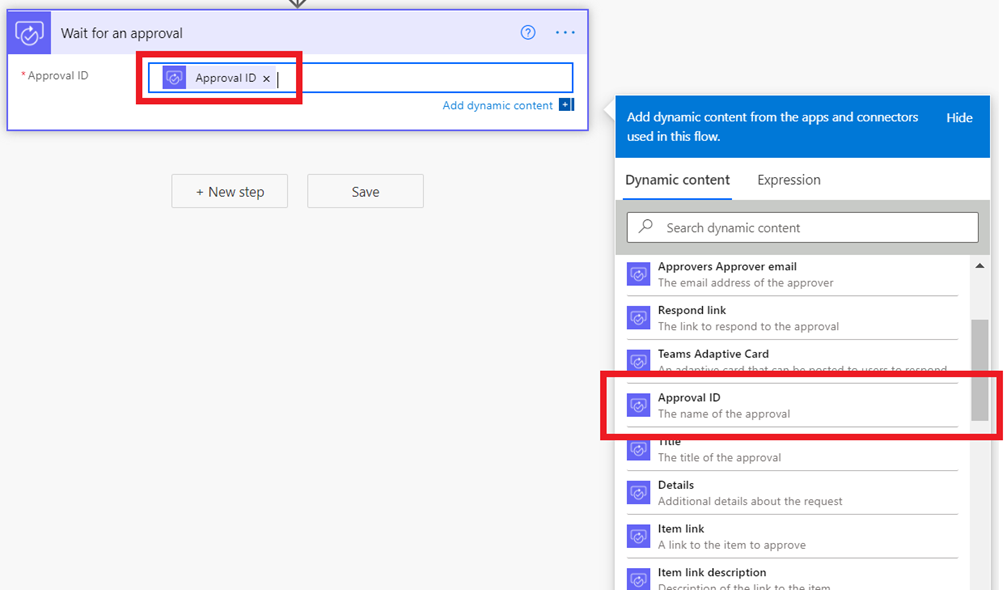
Add the “Wait for an approval” card and input the Approval ID coming from the previous card as ID in the field
That’s it!
Now you can run the flow and notification will be sent as chat in Teams to the Approver and without email!
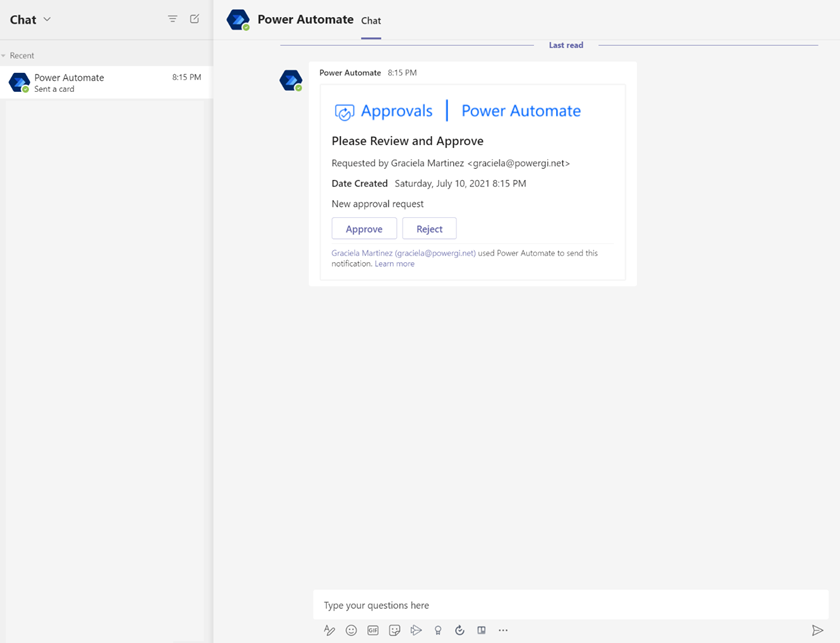
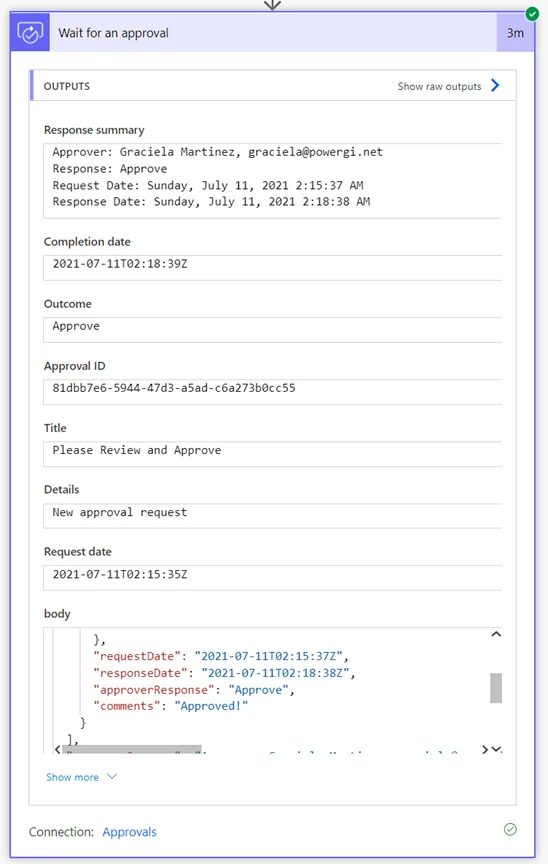
Once the request is approved the “Wait for an approval” card will finish and you’ll see the response, and comments if any.