Bild aus SharePoint-Spalte in Power Apps herunterladen

Bilder in SharePoint-Spalten herunterladen | Canvas Apps | Power Apps | SharePoint-Listen

Inhaltsverzeichnis

Working with images stored in a SharePoint list column is a common scenario for Canvas Apps in Power Apps. In this guide, we’ll walk you through how to download images in SharePoint columns, directly from your Canvas App.

Anwendungsfallbeschreibung

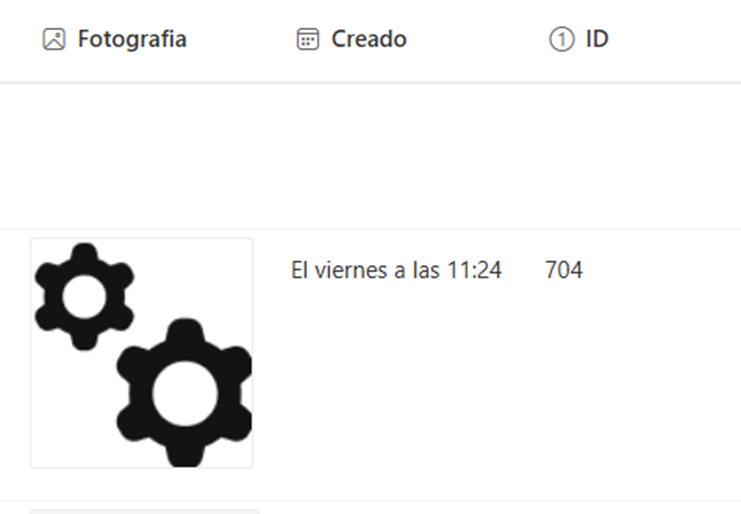
We have an image-type column in SharePoint:
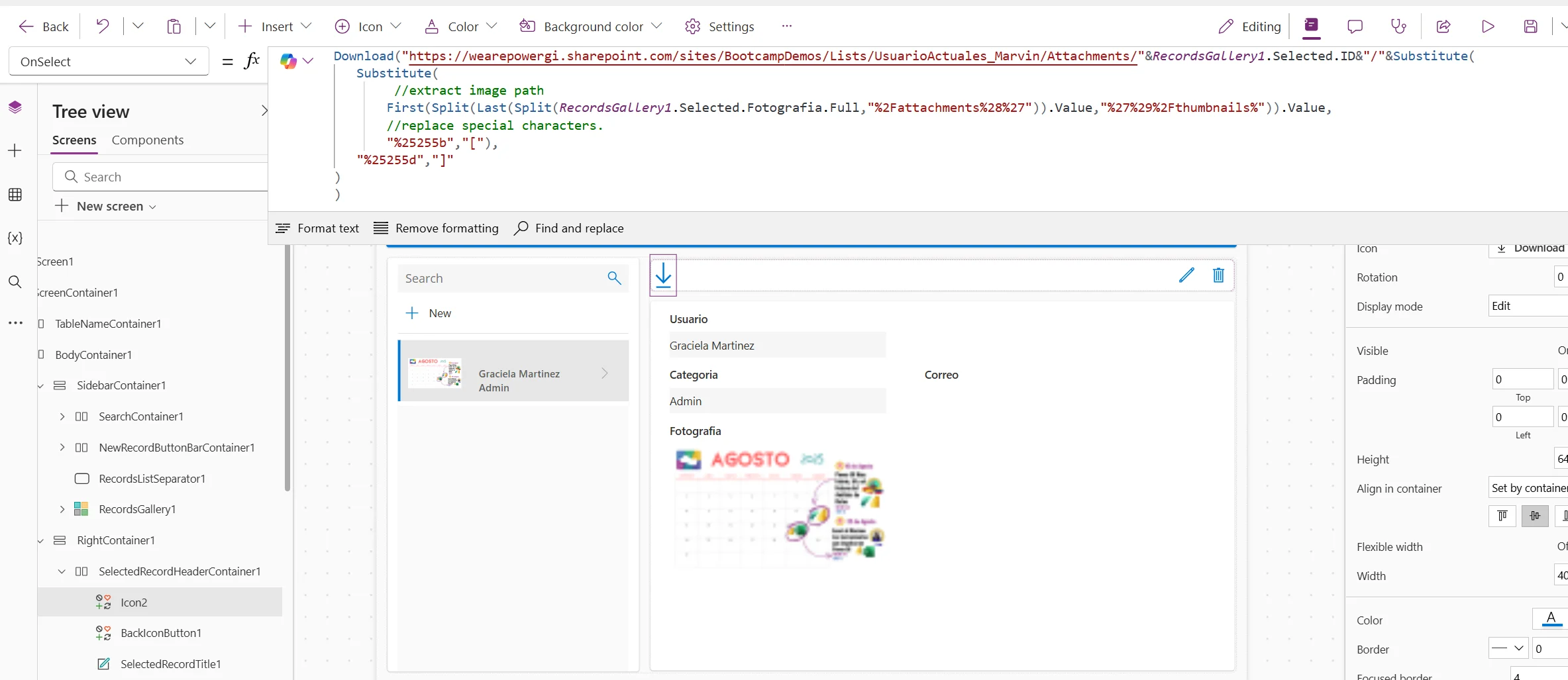
We want to allow users to download this picture from a Canvas Apps app that is connected to the SharePoint list:
Automatisieren Sie Aufgaben, die Sie verlangsamen

Geben Sie Ihrem Team mehr Zeit und ermöglichen Sie ihm, sich auf strategische Aufgaben zu konzentrieren, dank digitaler und robotergestützter Automatisierung.

Lösungsbeschreibung

When we inspect the column in our SharePoint list and click on an image to view it in a separate browser tab this is the URL structure when viewing in the browser:

{SharePointSiteAndListAddress}/Attachments/{ItemID}/Reserved_ImageAttachment_%5B5%5D_%5B{ColumnName}%5D%5B36%5D_%5B{FileName}%5D%5B1%5D_%5B1%5D{FileType}

If we get the value of an image column in Power Apps, we get the following:
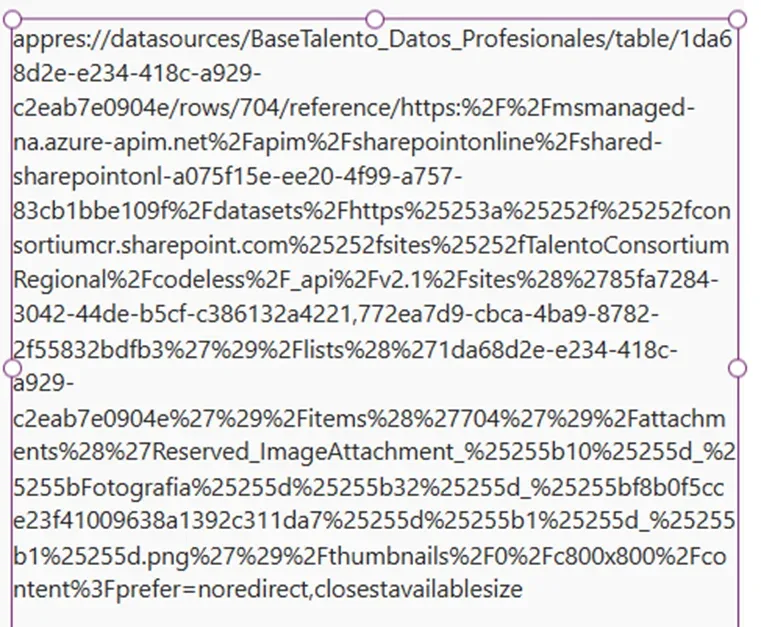
Note how in the middle of all the text, Power Apps uses the very same SharePoint URL format:
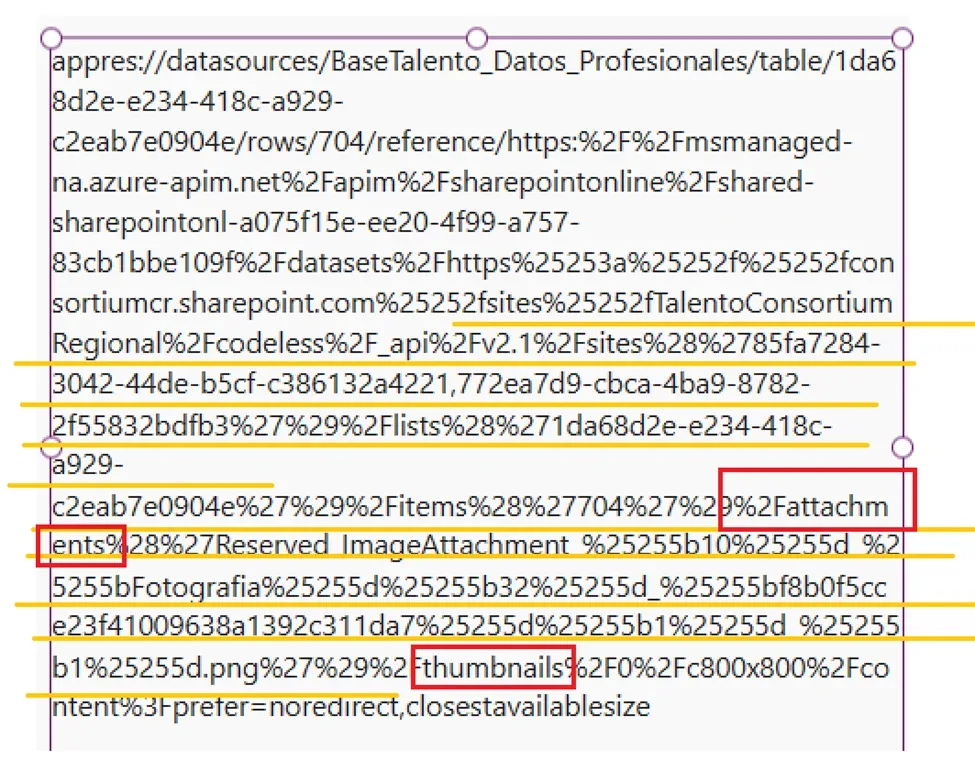
The
text we need is in between the key words:

·        attachments

·        thumbnails

Below is the code needed to
extract the URL and provide Power Apps a link to display the image and allow
user to download:

				
					Download("https://wearepowergi.sharepoint.com/sites/BootcampDemos/Lists/UsuarioActuales_Marvin/Attachments/"&RecordsGallery1.Selected.ID&"/"&Substitute(
   Substitute(
        //extract image path
       First(Split(Last(Split(RecordsGallery1.Selected.Fotografia.Full;"%2Fattachments%28%27")).Value;"%27%29%2Fthumbnails%")).Value;
       //replace special characters.
       "%25255b";"[");
   "%25255d";"]"
)
)


Replace:

  • SharePoint Address
  • List Name
  • ItemID
  • Item and Column Name

Add above code in the OnSelect action of the download button.
Sind Sie bereit, die Freude an der Automatisierung zu entdecken?

Ob Sie ein Projekt im Sinn haben oder einfach nur wissen möchten, wie wir Ihnen helfen können, wir freuen uns auf ein Gespräch

After this is done we can test and run the app to make sure all works properly!
How our Power Apps Development services can help

Unsere Power Apps und Power Platform Beratungsleistungen, we have designed and implemented many Canvas Apps, covering many scenarios and business cases, Kontaktieren Sie uns, Wir würden uns sehr freuen, uns mit Ihnen unterhalten zu können und zu sehen, wie wir Ihr Team unterstützen können.

Autor
Power Platform Berater | Experte für Geschäftsprozessautomatisierung
Microsoft Certified Power Platform Berater und Lösungsarchitekt mit über 4 Jahren Erfahrung in der Nutzung von Power Platform, Microsoft 365 und Azure, um kontinuierlich Automatisierungsmöglichkeiten zu entdecken und Prozesse neu zu gestalten.