When creating a Power Pages site, if your form has a lookup column it will look a bit odd in the website for end users. It’s a very common scenario to prefer to display these types of columns as dropdowns instead. In this blog we will show you how to update the form configuration to replace lookup search with a nice and simple dropdown.
Explore our microsoft Power Platform Beratungsdienste to enhance your Power Pages experience. We ensure seamless integration of interactive components, like converting lookup columns into user-friendly dropdowns, thus boosting website navigation and user interaction. Discover how we can transform your digital journey today.
Step 1. Create the form that you will display in the Power Pages page
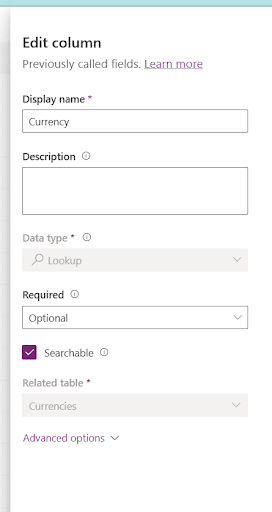
Add the lookup column in the table and in the form you want to link in the Power Pages site
Automatisieren Sie Aufgaben, die Sie verlangsamen
Geben Sie Ihrem Team mehr Zeit und ermöglichen Sie ihm, sich auf strategische Aufgaben zu konzentrieren, dank digitaler und robotergestützter Automatisierung.
Step 2. Add the form in the Power Pages page
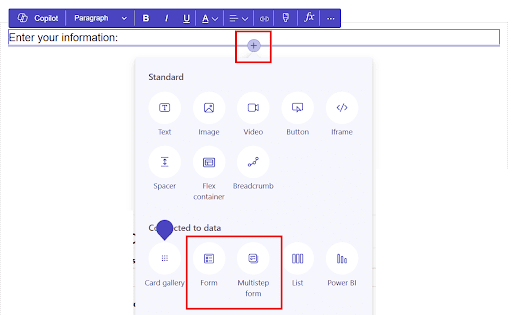
Link the page to the form by using the “+” icon in the Power Pages portal and then selecting the type of form you will add
Step 3. Locate the form in the Power Pages Management portal
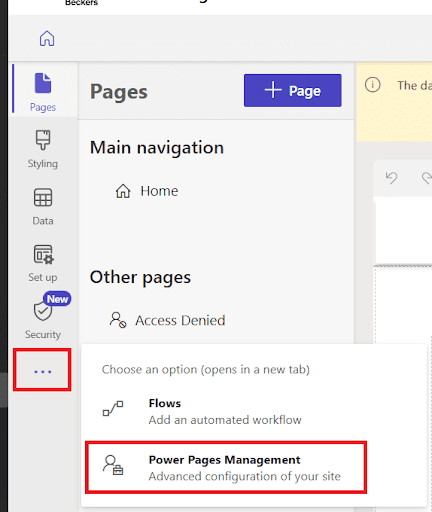
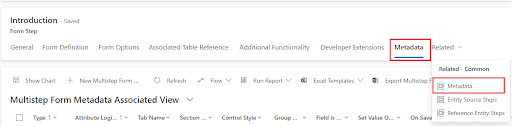
Open the Power Pages Management portal
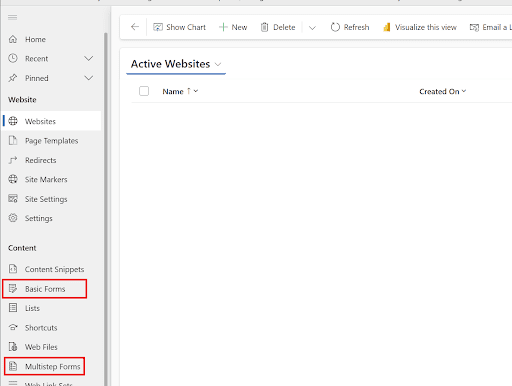
If basic form: you will find it under Basic Forms
If multistep: you will find it under multistep forms and then by selecting the relevant step
Click on the form to
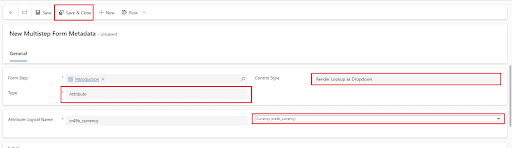
Step 4. Create a metadata record
Open form metadata
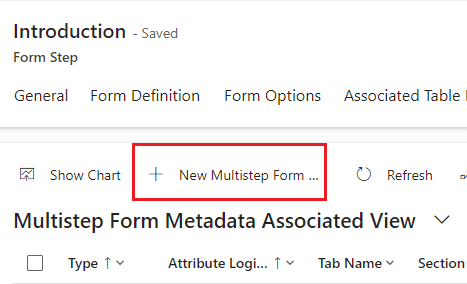
Click on New
Ist Ihr Unternehmen bereit für die Automatisierung?
Automatisieren Sie Prozesse mit der Microsoft Power Platform.
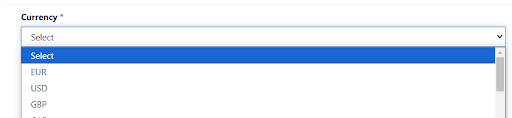
Go back to the Power Pages editing page, sync configurations and test the changes.
Conclusion
With the help of Power GI, you can quickly convert lookup columns in Power Pages into dropdown menus, improving form usability and end users’ experience on the website. This fast setup simplifies site interactions and improves data selection.
Power Platform Berater | Experte für Geschäftsprozessautomatisierung
Microsoft Certified Power Platform Berater und Lösungsarchitekt mit über 4 Jahren Erfahrung in der Nutzung von Power Platform, Microsoft 365 und Azure, um kontinuierlich Automatisierungsmöglichkeiten zu entdecken und Prozesse neu zu gestalten.