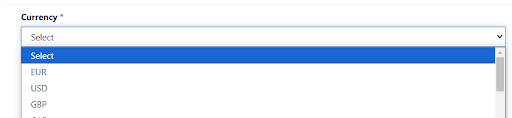
When creating a Power Pages site, if your form has a lookup column it will look a bit odd in the website for end users. It’s a very common scenario to prefer to display these types of columns as dropdowns instead. In this blog we will show you how to update the form configuration to replace lookup search with a nice and simple dropdown.
Explore our microsoft Servicios de Consultoría de Power Platform to enhance your Power Pages experience. We ensure seamless integration of interactive components, like converting lookup columns into user-friendly dropdowns, thus boosting website navigation and user interaction. Discover how we can transform your digital journey today.
Step 1. Create the form that you will display in the Power Pages page
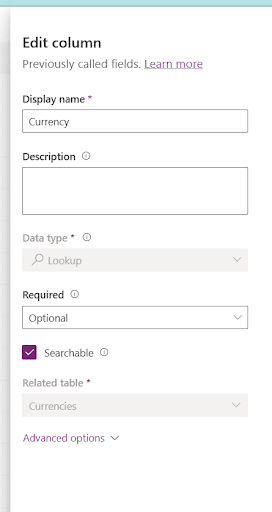
Add the lookup column in the table and in the form you want to link in the Páginas de energía site
Convierte tus ideas en soluciones digitales
Nuestro equipo te guía paso a paso para crear aplicaciones personalizadas en Power Platform.
Step 2. Add the form in the Power Pages page
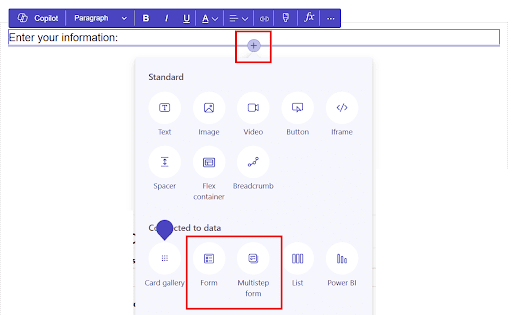
Link the page to the form by using the “+” icon in the Power Pages portal and then selecting the type of form you will add
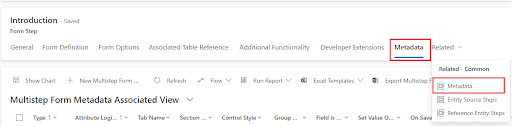
Step 3. Locate the form in the Power Pages Management portal
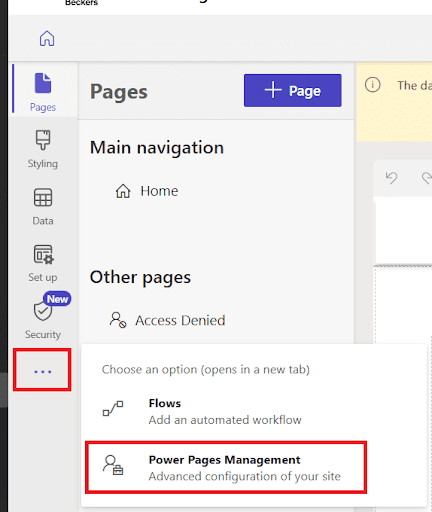
Open the Power Pages Management portal
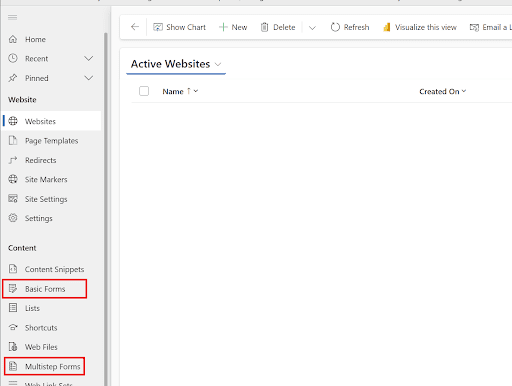
If basic form: you will find it under Basic Forms
If multistep: you will find it under multistep forms and then by selecting the relevant step
Click on the form to
Step 4. Create a metadata record
Open form metadata
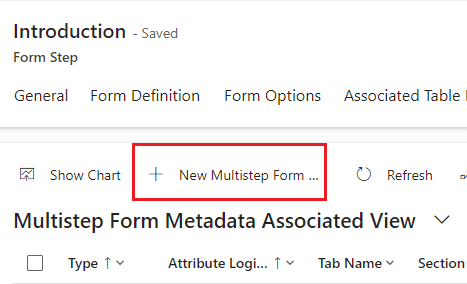
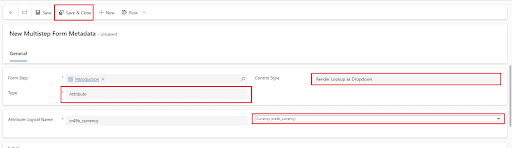
Click on New
Automatiza las tareas que te ralentizan
Libere el tiempo de su equipo y concéntrese en el trabajo estratégico con la automatización digital y robótica.
Go back to the Power Pages editing page, sync configurations and test the changes.
Conclusion
With the help of Power GI, you can quickly convert lookup columns in Power Pages into dropdown menus, improving form usability and end users’ experience on the website. This fast setup simplifies site interactions and improves data selection.
Consultor de Power Platform | Experto en Automatización de Procesos de Negocio
Consultor certificado de Microsoft Power Platform y Arquitecto de Soluciones con más de 4 años de experiencia aprovechando Power Platform, Microsoft 365 y Azure para descubrir continuamente oportunidades de automatización y reimaginar procesos.