SharePoint API Set up via Azure AD App-Only (2)

Write to dynamic Excel files using Power Automate

You have an MS Excel template that needs to be filled out every time a new record in SharePoint is created: this means when a new item is added in SharePoint, a copy of the template needs to be created and our automation has to insert rows into it.

In our example, we have a column in SharePoint with a list of users and we want to write these names in a table we have defined in our template. This type of automation can be greatly enhanced by leveraging Power Platform Beratungsleistungen, ensuring that the workflow is efficient and scalable.

To build this automation, you need:

Verwandeln Sie Ihre Ideen in digitale Lösungen

Unser Team leitet Sie Schritt für Schritt beim Erstellen benutzerdefinierter Apps in Power Platform.

  • An MS Excel template with a table you want to fill out.
  • To upload Excel template to SharePoint (or OneDrive).
  • To create a SharePoint list that will trigger the automation and include a column with person type that accepts multiple values.
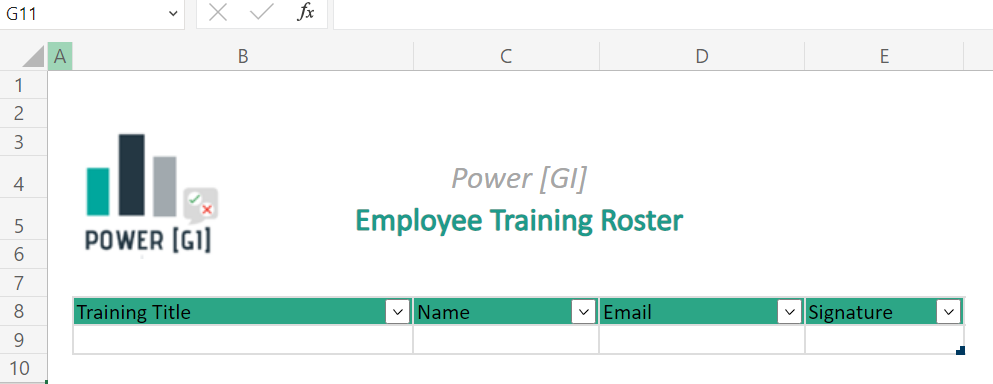
Template example

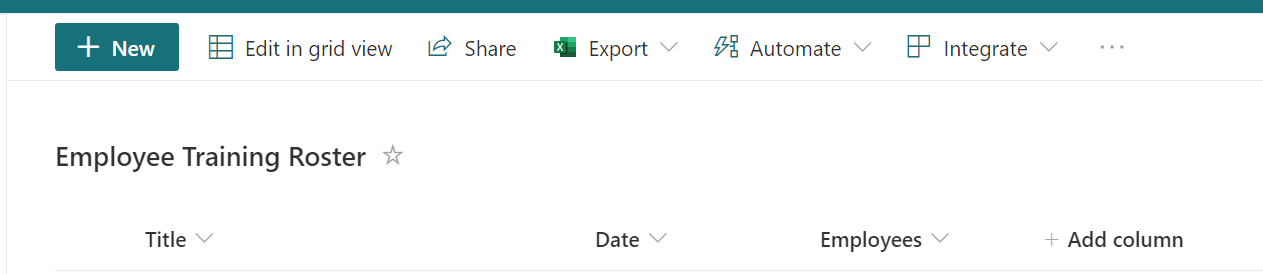
SharePoint list example

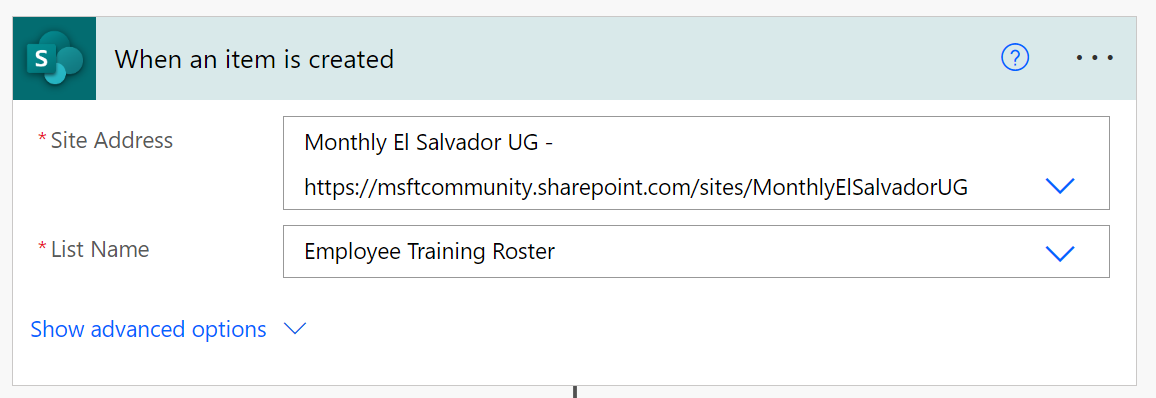
Step 1. Trigger
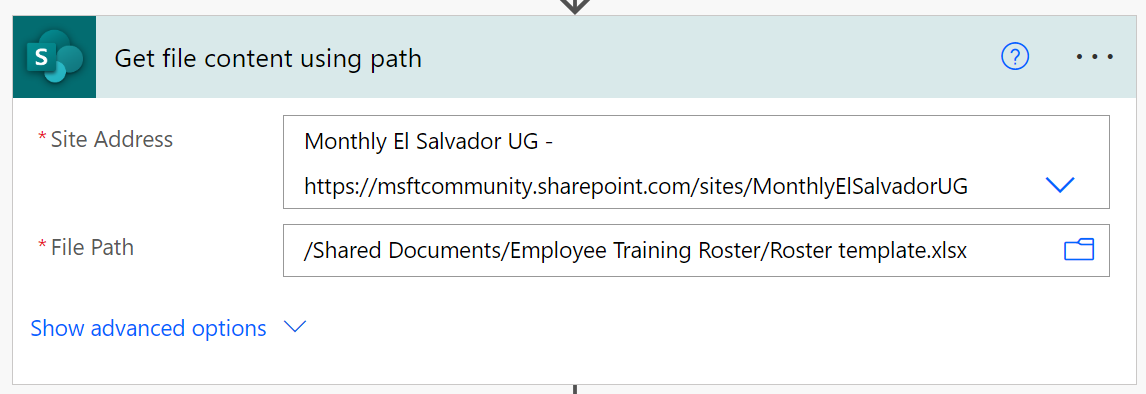
Step 2. Get template content
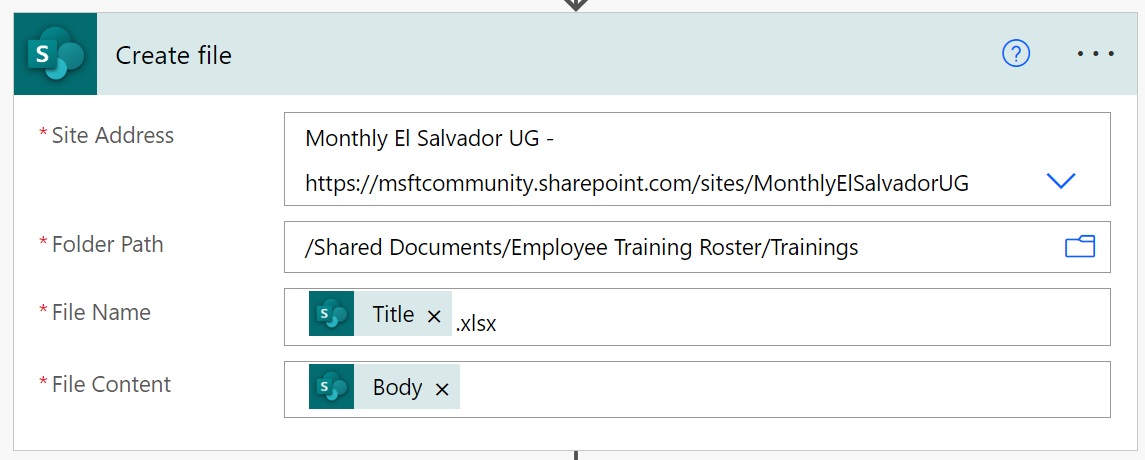
Step 3. Create a copy of the template.

This is the file we will write to. It’s a dynamically generated file so we don’t know its ID in advance.
Sind Sie bereit, die Freude an der Automatisierung zu entdecken?

Ob Sie ein Projekt im Sinn haben oder einfach nur wissen möchten, wie wir Ihnen helfen können, wir freuen uns auf ein Gespräch

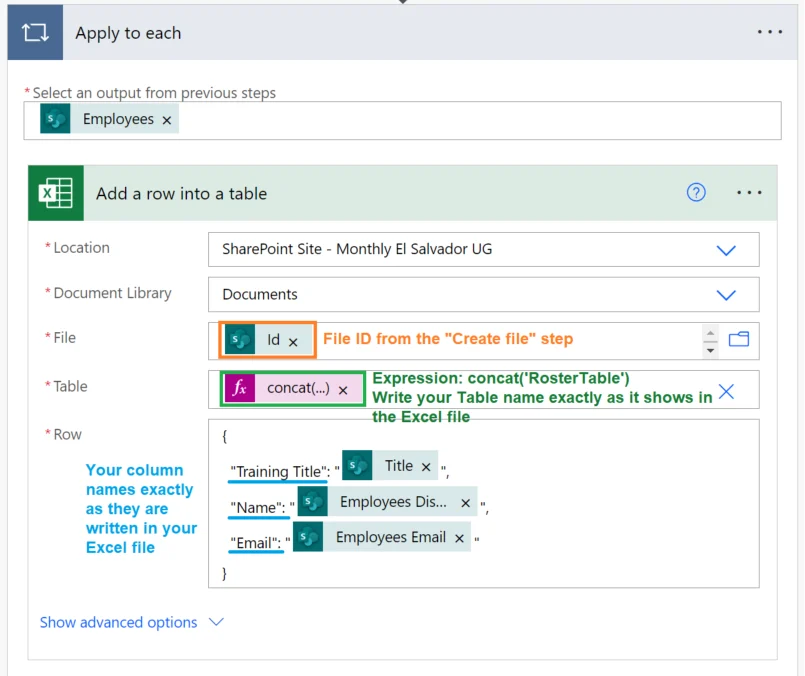
Step 4. Fill out template

Managing dynamic Excel outputs can be tricky without the right automation strategy. That’s why our Power Automate Consulting Services are designed to streamline processes like file generation, data validation, and workflow integration—so your team can focus on analysis instead of repetitive tasks.

Watch our step-by-step video

Autor
Power Platform Berater | Experte für Geschäftsprozessautomatisierung
Microsoft Certified Power Platform Berater und Lösungsarchitekt mit über 4 Jahren Erfahrung in der Nutzung von Power Platform, Microsoft 365 und Azure, um kontinuierlich Automatisierungsmöglichkeiten zu entdecken und Prozesse neu zu gestalten.