SharePoint API Set up via Azure AD App-Only (2)

Write to dynamic Excel files using Power Automate

You have an MS Excel template that needs to be filled out every time a new record in SharePoint is created: this means when a new item is added in SharePoint, a copy of the template needs to be created and our automation has to insert rows into it.

In our example, we have a column in SharePoint with a list of users and we want to write these names in a table we have defined in our template. This type of automation can be greatly enhanced by leveraging Power Platform consulting services, ensuring that the workflow is efficient and scalable.

To build this automation, you need:

De la visión a la ejecución

Ya sea que estés empezando o escalando la automatización, te ayudamos a convertir tus ideas en soluciones impactantes.

  • An MS Excel template with a table you want to fill out.
  • To upload Excel template to SharePoint (or OneDrive).
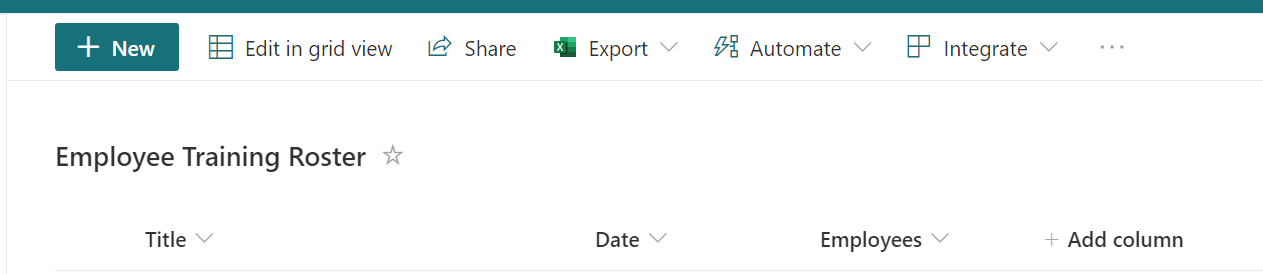
  • To create a SharePoint list that will trigger the automation and include a column with person type that accepts multiple values.
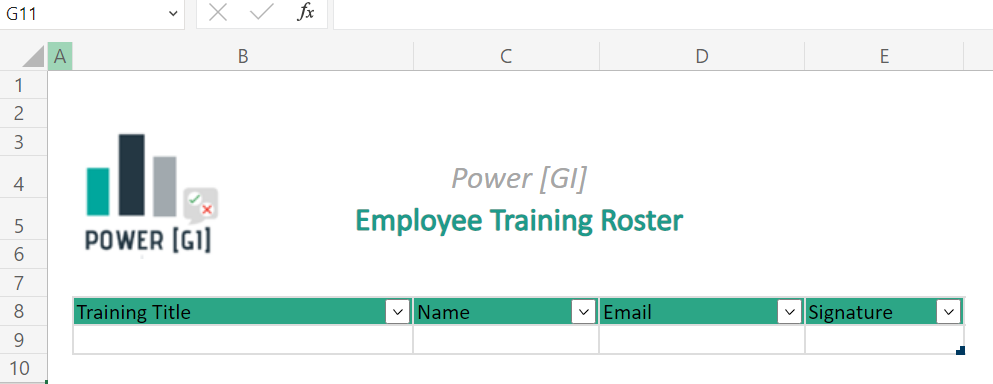
Template example

SharePoint list example

Step 1. Trigger
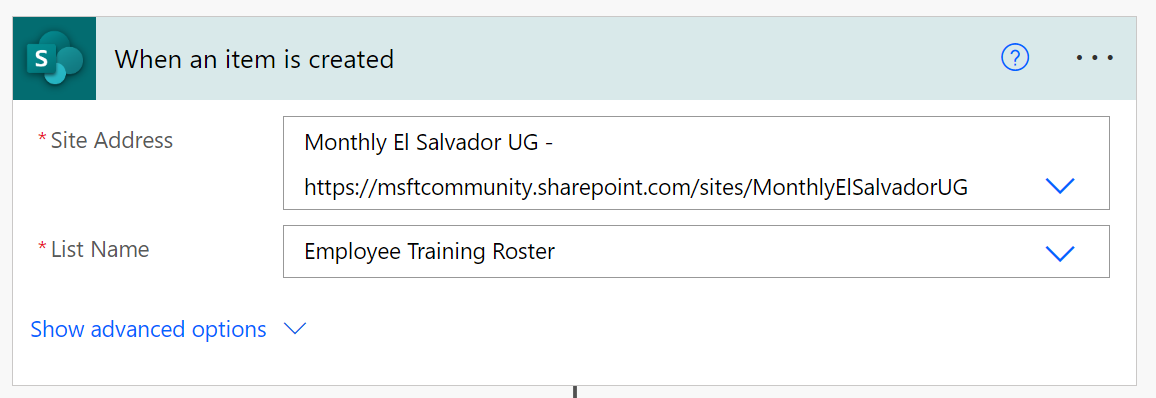
Step 2. Get template content
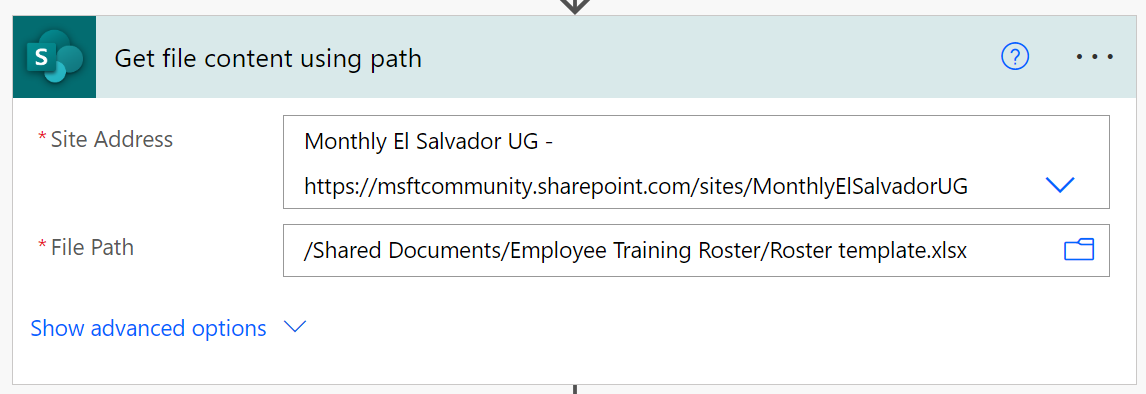
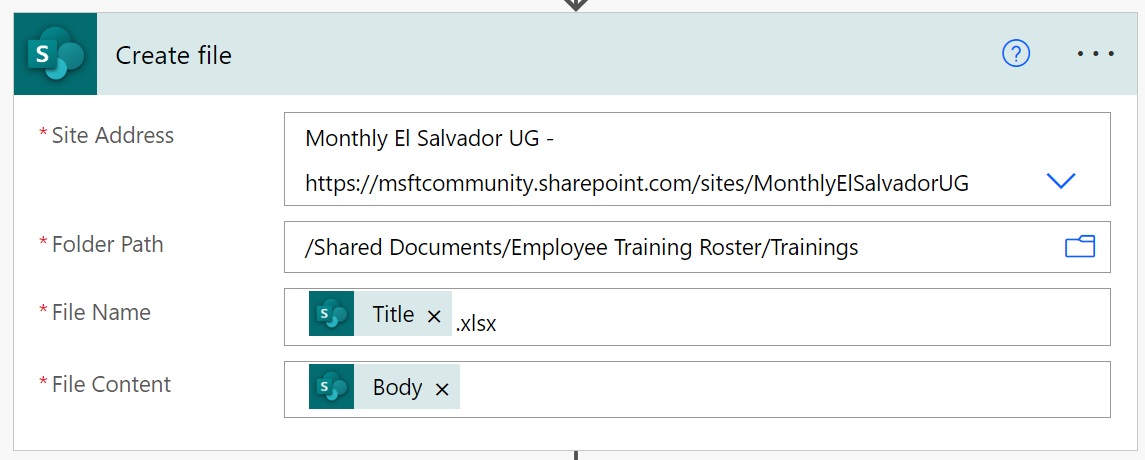
Step 3. Create a copy of the template.

This is the file we will write to. It’s a dynamically generated file so we don’t know its ID in advance.
¿Está listo para descubrir la alegría de la automatización?

Ya sea que tenga un proyecto en mente o simplemente quiera saber cómo podemos ayudar, estamos encantados de tener una conversación.

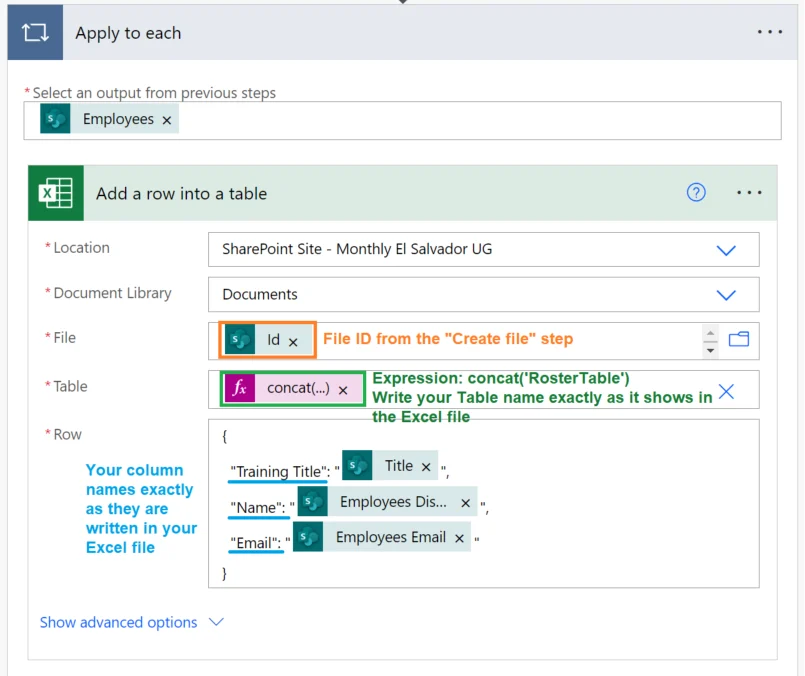
Step 4. Fill out template

Managing dynamic Excel outputs can be tricky without the right automation strategy. That’s why our Power Automate Consulting Services are designed to streamline processes like file generation, data validation, and workflow integration—so your team can focus on analysis instead of repetitive tasks.

Watch our step-by-step video

Autor
Consultor de Power Platform | Experto en Automatización de Procesos de Negocio
Consultor certificado de Microsoft Power Platform y Arquitecto de Soluciones con más de 4 años de experiencia aprovechando Power Platform, Microsoft 365 y Azure para descubrir continuamente oportunidades de automatización y reimaginar procesos.