Power BI & Microsoft Fabric
Consulting Services
Let’s work together to shape a data-driven culture for your business.
At Power [GI], we help organizations discover the value of their data by transforming isolated spreadsheets, static system reports, and disconnected datasets into reliable analytics platforms and dashboards that drive real action.
Are you ready to discover the joy of automation?
Power BI
&
Microsoft Fabric
Power BI is Microsoft’s tool for business intelligence and data visualization, allowing users to create reports and dashboards. Microsoft Fabric, on the other hand, is an end-to-end platform that brings together all the data analytics lifecycle: data warehousing integration, modelling, and visualization.
In the greater scheme of platforms, Power BI is a component of Microsoft Fabric and also a component of the Power Platform, being the primary interface to build reports and to perform analytics.
Whether you need a single dashboard or a whole data platform, we bring both Power BI and Microsoft Fabric experience to every engagement, along with Power Platform expertise, giving us a holistic view of all the reporting, automation and improvement opportunities for your business.
Our Clients
Graciela has been the find of the century for me. I needed a solution built that I was not even sure was possible. Graciela accepted the project and created a product that was better than I could have imagined. Nothing is ever a problem for her. Her attention to detail, pleasant nature and technical knowledge, has made working with her an absolute pleasure.

Graciela has been the find of the century for me. I needed a solution built that I was not even sure was possible. Graciela accepted the project and created a product that was better than I could have imagined. Nothing is ever a problem for her. Her attention to detail, pleasant nature and technical knowledge, has made working with her an absolute pleasure.

Graciela has been the find of the century for me. I needed a solution built that I was not even sure was possible. Graciela accepted the project and created a product that was better than I could have imagined. Nothing is ever a problem for her. Her attention to detail, pleasant nature and technical knowledge, has made working with her an absolute pleasure.

Our Power BI
expertise
During our years of Power BI experience, we’ve done more than just creating dashboards and reports: we’ve helped our clients to connect and clean fragmented systems and reports and turn them into visual stories that support day-to-day decision-making.
automating
Industries we’ve worked with
Tech start-ups
Events planning
Real Estate
Education
Retail
Health & Nutrition
Legal Firms
Accounting Firms
Non-profit
Publishing
Financial services
IT Services
Why Power [GI]?
Deep business knowledge + Technology expertise = Automation with real impact
We’ve been there, we’ve seen it, we’ve automated it: the lookups, the mailbox with manual review and the accounting close with way too many reports downloads. We excel at understanding how businesses really work, and we make that discovery with remarkable ease.
As certiffed Microsoft Power Platform consultants, we bring both technical knowledge and deep business insight into every engagement.
We find the right tool for each business need
At Power GI, we do more than just implementing technology solutions. We become an extension of your business, truly understanding the ins and outs of your operations and finding the right Power Platform tool for each of your business needs.
Our work blends process optimization and technology
Our strength lies in the perfect fusion of process optimization and technology. We don’t just talk IT, we speak the language of continuous improvement, and business transformation.
Beyond dashboards, we help you build an analytics platform
It’s not only about one report, it’s about a good foundation that goes beyond visualizations. Through our Power BI and Microsoft Fabric consulting services, we work with our clients to design end-to-end solutions that connect multiple systems, isolated or fragmented data sources and standardize business logic.
The result is a unified platform that acts as a single source of truth and establishes the basis for good reporting.
Great dashboards can only happen with great data models. We build both
Well-designed data models bring structure, good performance and consistency. Every Power BI consulting services engagement we deliver includes a discovery phase where our experts analyze all the data relationships, business goals and key performance indicators.
Only when all aspects of the data model are aligned, we start mapping the metrics and business goals with visualizations.
Dashboards that are as useful as they are beautiful
Using Figma as our prototyping tool, we bring ideas, business goals and requirements into life at an early stage through a dashboard mockup that follows recommended practices on layout, coloring and visual design. This design-first approach aligns everyone from the start and validates expectations and makes us a strong Power BI consulting company partner.
The results are intuitive, clean, and modern reports and dashboards that deliver great analytics experiences within Power BI.
Deep Power Platform and Microsoft 365 expertise
During all our years of experience, we’ve implemented end-to-end solutions across all the Microsoft 365 ecosystem, including Power Automate, Power Apps, Dataverse, SharePoint and Azure tools such as Function Apps and Azure Data Factory. Using our Power BI implementation services and this heavy hands-on experience we come with a holistic view of all the automation possibilities within Microsoft as a platform, which enables us to recommend and combine the right mix of tools for each business requirement.
Our Capabilities
As an experienced Microsoft power BI consulting services company, we can help discover all the power under the hood of Power BI and Microsoft Fabric:

Analyze your current data landscape
Understanding your current environment and data sources is a great place to start building a good reporting foundation.

Discover potential automation opportunities
Are you manually downloading reports, appending files or transforming data? We’re here to help you spend less time on those manual tasks.

Data integration and extraction from multiple systems
We can help you connect to multiple systems, regardless of where data lives: Excel, SharePoint, Dataverse, SQL Server, APIs, or third-party platforms.

Data model and semantic layer design
Great reporting can only happen if there is a good, clean and well-structured data model. We’ll help you get there.

Define reporting requirements and metrics
We work with stakeholders to define metrics and KPIs that are aligned with your business needs.

Analytics architecture with OneLake
Create a single source of truth for all your data with Microsoft Fabric and OneLake.

Dashboard design and prototyping
With Figma as the main prototyping tool, we design intuitive and clean mockups that help bring the reporting ideas and requirements to life.

Build interactive and good looking Power BI reports and dashboards
We develop intuitive, clean and modern reports that ensure clarity, usability and impact.

DAX calculations
Calculations and measures are key part of a dashboard that truly impacts decision making
Our Services
Power BI Reports and dashboards development
Artificial Intelligence Integration (Microsoft Foundry, AI Insights, Fabric AI)
API & system data integrations
Data modeling & DAX
measures development
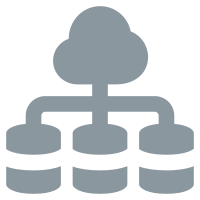
Design and develop Medallion Architecture with Microsoft Fabric
Data prep and
raw Data Ingestion
Curated datasets for consumption
Microsoft Fabric Licensing & Deployment Advisory

How to get
started?
4–8 weeks: average POC turnaround time
Are you ready to turn your data into value with Microsoft Fabric and Power BI?
Let’s talk about your data and requirements
Let’s start by discussing your current data landscape and by defining some basic reporting needs.
The right foundation for your business goals
After understanding your needs, we'll present you with a preliminary solution design of the data structure that will serve as the foundation, along with some ideas on automation opportunities.
Bring data together and report prototyping and building
We’ll connect all the systems into a single source of truth and present you with an initial idea of the dashboard through a Figma mockup. Once approved, we’ll go back to work to build the final dashboard or report.
Redefine your decision-making process
After the first version of the dashboard, you can begin making data-driven decisions. Through some rounds of feedback and validation, we’ll fine tune the report and you’ll see the impact of good reporting.
Our technology
stack expertise
Power BI
Microsoft Fabric
Azure Data Factory
Power Query
DAX (Data Analysis Expressions)
M language
Microsoft Excel
Dataflows
API Integrations
SQL Server
Dataverse
SharePoint
Power Pivot
Power BI Service
Data lake
Data modeling
ETL / ELT pipelines
Azure DevOps
Success Stories
With more than 35 clients served in over 15 countries all over
the world, we for sure have great success stories to tell!
Law firms often manage proposals across multiple lawyers and business units, which can become a challenge to track without a unified place to record and report all proposals.
As the first stage of the project, we created a Power Apps application for a legal firm located in Central America, where lawyers and paralegals could record all the proposals and through an automated workflow, the proposal was transferred to a Microsoft Word template that was sent to the creator for final review. This allowed the creation of a unified platform to store and record proposals.
As the second stage, through our Power BI development services, we worked with the firm to create a dashboard that provides complete visibility into proposals, can track performance across lawyers and units.
Industry
🏢 Legal Services
Technologies
🛠️ Power BI, SharePoint, Power Apps, Power Automate
Challenges
⚠️ No tracking of proposal’s stage and responsible
⚠️ Lack of real-time visibility into service proposals status
⚠️ Time-consuming manual compilation of proposals and follow-ups
Business Impact
✅ Centralized reporting for all proposals across the firm
✅ Success metrics and KPIs defined
✅ Enhanced accountability and transparency
Law firms often manage proposals across multiple lawyers and business units, which can become a challenge to track without a unified place to record and report all proposals.
As the first stage of the project, we created a Power Apps application for a legal firm located in Central America, where lawyers and paralegals could record all the proposals and through an automated workflow, the proposal was transferred to a Microsoft Word template that was sent to the creator for final review. This allowed the creation of a unified platform to store and record proposals.
As the second stage, through our Power BI development services, we worked with the firm to create a dashboard that provides complete visibility into proposals, can track performance across lawyers and units.
Industry
🏢 Legal Services
Technologies
🛠️ Power BI, SharePoint, Power Apps, Power Automate
Challenges
⚠️ No tracking of proposal’s stage and responsible
⚠️ Lack of real-time visibility into service proposals status
⚠️ Time-consuming manual compilation of proposals and follow-ups
Business Impact
✅ Centralized reporting for all proposals across the firm
✅ Success metrics and KPIs defined
✅ Enhanced accountability and transparency
Multiple remittance formats received via email, storing files in local drives and spending hours trying to manually reconcile payments: quite a challenge! With our Power Automate development and Microsoft Fabric services, we can help you digitize your AR processes, build a unified data platform backed by automated processes in the back end.
Using Microsoft Fabric, Power Automate, and a medallion architecture approach, our team designed and implemented a centralized platform where incoming remittances are automatically captured from email, transformed from PDF to a table format, stored in Azure’s Blob storage, ingested into Fabric dataflows, and transformed into structured tables. From ingestion to transformation, the entire payment lifecycle went from manual and scattered to standardized and digitized.
Industry
🏢 Financial Services
Technologies
🛠️ Microsoft Fabric, Power BI, Power Automate
Challenges
⚠️ Remittances received in multiple formats
⚠️ Manual processing and storage of payment documents
⚠️ Time-consuming reconciliation process
Business Impact
✅ Automated ingestion of remittances
✅ Centralized and structured data using Microsoft Fabric dataflows
✅ Faster payment reconciliation process
Multiple remittance formats received via email, storing files in local drives and spending hours trying to manually reconcile payments: quite a challenge! With our Power Automate development and Microsoft Fabric services, we can help you digitize your AR processes, build a unified data platform backed by automated processes in the back end.
Using Microsoft Fabric, Power Automate, and a medallion architecture approach, our team designed and implemented a centralized platform where incoming remittances are automatically captured from email, transformed from PDF to a table format, stored in Azure’s Blob storage, ingested into Fabric dataflows, and transformed into structured tables. From ingestion to transformation, the entire payment lifecycle went from manual and scattered to standardized and digitized.
Industry
🏢 Financial Services
Technologies
🛠️ Microsoft Fabric, Power BI, Power Automate
Challenges
⚠️ Remittances received in multiple formats
⚠️ Manual processing and storage of payment documents
⚠️ Time-consuming reconciliation process
Business Impact
✅ Automated ingestion of remittances
✅ Centralized and structured data using Microsoft Fabric dataflows
✅ Faster payment reconciliation process
A team that operates within multiple systems is a really common scenario for many companies. The challenge arises when it’s time to consolidate those systems, especially for reporting. Without a unified view or a unified place to review everything, there is a high risk of making decisions based on inconsistent or incomplete data, unless you have us around!
As a Microsoft Power BI consulting services company, we partnered with an MSP company that serves customers in the United States to consolidate all their operations data into Dataverse, using dataflows and connected it to Power BI. We helped them create a single source of truth for all the multiple systems the service desk team uses and created some amazing dashboards of top of that data that provide almost real-live reporting and give visibility on all the relevant operations metrics.
Industry
🏢 MSP
Technologies
🛠️ Dataflows, Dataverse, Power BI
Challenges
⚠️ Multiple disconnected systems
⚠️ Lack of real-time visibility into workload and utilization
⚠️ Time-consuming manual data compilation
Business Impact
✅ Centralized, almost real-time reporting for all operations
✅ Visibility into staff utilization and operations metrics
✅ Single source of truth for all operation-related reporting needs
✅ Multiple systems integrated
A team that operates within multiple systems is a really common scenario for many companies. The challenge arises when it’s time to consolidate those systems, especially for reporting. Without a unified view or a unified place to review everything, there is a high risk of making decisions based on inconsistent or incomplete data, unless you have us around!
As a Microsoft Power BI consulting services company, we partnered with an MSP company that serves customers in the United States to consolidate all their operations data into Dataverse, using dataflows and connected it to Power BI. We helped them create a single source of truth for all the multiple systems the service desk team uses and created some amazing dashboards of top of that data that provide almost real-live reporting and give visibility on all the relevant operations metrics.
Industry
🏢 MSP
Technologies
🛠️ Dataflows, Dataverse, Power BI
Challenges
⚠️ Multiple disconnected systems
⚠️ Lack of real-time visibility into workload and utilization
⚠️ Time-consuming manual data compilation
Business Impact
✅ Centralized, almost real-time reporting for all operations
✅ Visibility into staff utilization and operations metrics
✅ Single source of truth for all operation-related reporting needs
✅ Multiple systems integrated
Frequently Asked
Questions (FAQ)
What is Power BI?
Microsoft’s official definition of Power BI is “Power BI is Microsoft’s business analytics platform that helps you turn data into actionable insights. Whether you’re a business user, report creator, or developer, Power BI offers integrated tools and services to connect, visualize, and share data across your organization.”
The main key take aways from Microsoft’s definitions are:
- Used by business user, report creator, or developer – different types of users can use Power BI and find the benefits of the tool. Users can create dashboards, consume them as end users or extend the functionality by building advanced features or API integrations.
- Connect data – bring your data together from multiple sources, Power BI has plenty of out of the box connectors that make data sources such as SQL, SharePoint, Salesforce very accessible to bring into a single place.
- Visualize data – turn data into visuals and dashboards: graphs, charts, tables. With Power BI, you can create many types of objects and instead of having the “classic” Excel view of just rows and columns, interactive experiences can be built.
- Share data – reports built in Power BI can be made accessible to other people in the organization (and sometimes outside the organization as well).
Through our Power BI development services, we can help you build reports and dashboards that truly turn your data into value that drive better business decisions.
What is the difference between Power BI Desktop and Online?
- Power BI Desktop is a desktop application that can be installed in the computer. Its main use is building dashboards and it’s in the desktop app where most of the heavy lifting happens: connecting to data, creating the data model, creating measures and building the visuals. When working on Power BI Desktop, a .pbix file will be created, which can be shared with other users but it requires them to also install Power BI on their own PCs and all the data connections, data model and report will be available for them, which is not always a recommended practice.
Power BI Desktop can be used without having to purchase a Power BI license.
- Power BI Online, also known as Power BI Service, is a cloud platform that is accessed through a web browser through app.powerbi.com. The Online service’s use is sharing and consuming reports that were created in Power BI Desktop.
While Power BI Online has dashboard building capabilities, the regular development process usually happens on the desktop. The Power BI service is used to publish and view dashboards and reports online, set up automated data refreshes and share reports with other users.
What is Microsoft Fabric?
Microsoft’s official definition is “Microsoft Fabric is an analytics platform that supports end‑to‑end data workflows, including data ingestion, transformation, real‑time stream processing, analytics, and reporting… Fabric is delivered as a software‑as‑a‑service (SaaS) platform and uses OneLake as a centralized, logical data lake for storing and accessing data across all workloads. ”
The key points from the above definition are:
- Analytics platform – Microsoft Fabric is not a “tool” itself, it’s a platform that contains a set of tools that help users in all the data analytics processes. It integrates other tools from the Microsoft 365 and Azure ecosystem, some of them are: Azure Data Factory, Notebooks, Azure SQL Server, Apache Spark and Power BI.
- End-to-end data workflows – Microsoft Fabric provides features to manage the entire lifecyle of data: ingestion, data transformation, data modelling and visualization. A key concept of a lot of what happens in Microsoft Fabric is based on the “Medallion architecture” concept, which helps manage data at it goes through different stages of refinement:
- Bronze: Raw Data
- Silver: Clean & Conformed Data
- Gold: Business-Ready Data
- Centralized platform through OneLake – OneLake in Microsoft Fabric is the equivalent of OneDrive for end users. It provides a centralized, unified place where all data (or files, in terms of OneDrive) is stored and served for consumption. Instead of having multiple databases in multiple servers, Microsoft Fabric helps to bring all those sources into a single place through OneLake.
As your Microsoft Fabric services partner, we can help you design and implement the right architecture to transform your existing data sources into a unified data platform.
What’s the difference between Power BI and Microsoft Fabric?
In short, Microsoft Fabric is an analytics platform that includes many tools (see question above), and Power BI is one of those tools.
How much does Power BI cost?
If you’ll only use Power BI Desktop (see one of the questions above), there is no need to buy a Power BI License. If the plan is to share the reports with other users in the organization or to expand the analytics to use AI or advance features, then a Power BI License is required.
- Power BI Pro: 14 USD per user/month
- Power BI Premium: 24 USD per user/month
If the dashboard will need to be embedded in a website for customer-facing reports, then a separate license with variable cost is required. You can read more about this topic here.
How much does Microsoft Fabric cost?
Microsoft Fabric uses a capacity-based pricing model, which can be paid by reserving capacity in advance or paying as you. The total cost depends on the capacity units that are assigned, more information can be found in the official documentation page for Microsoft Fabric pricing.
How long does it usually take to develop and deploy a Power BI solution?
We have an average POC (proof of concept) turnaround time of 4-8 weeks for Power BI and Microsoft Fabric projects, but this can vary depending on the complexity of the report, dashboard or platform that is being built.
Our Power BI implementation services usually start by analyzing the current data sources and all the potential metrics and business goals that want to be achieved by building a dashboard and/or a data platform. When a dashboard is required, an initial mockup is shared. Once approved, we design the back-end data model and then start developing.
What do I need to get started with Power BI?
To start with Power BI, you need the following:
- Microsoft 365 license (organization or education account).
- Identify a process that would benefit from reporting tools (or we can work together to prioritize one).
- Power BI license(s) for some use cases (see question on licensing above).
As your Microsoft Power BI consulting company, we can help you obtain all required licenses, credentials and subscriptions.
Discover the
joy of automation
Contact Us
More Info
Whether you have a Power BI or a Microsoft Fabric consulting project in mind, or just want to have a conversation. We’re happy to see how we can help!