Power Apps is Microsoft’s tool for custom business applications development. It’s part of the Power Platform suite alongside Power Automate, Power BI, Power Pages and Copilot Studio.
The Power Platform landscape has evolved a lot in the recent months, and Microsoft went from pure “low-code” marketing to “no-code to pro-code” emphasis in all their Power Platform products, mainly for Power Apps. In this blog we will go over the Power Apps application types that exist in 2026 and the key features of each of them.
When Power Apps started the “citizen developer” focus was very high and “low-code” was mentioned as a key part of the product, because the development experience was mainly through a graphical interface (even though high customization through code was also possible, Microsoft left this part out of the picture for quite some time).
In 2026, Microsoft decided it was about time to bring all kind of developers to the Power Platform, from the citizen developers who work on a graphical interface to pro developers who preferred integrated developer environments (IDEs) and writing code from scratch to vibe coders who like agents to support the development process. Nowadays Microsoft’s official definition of Power Platform involves both “no code” and “pro code” approaches: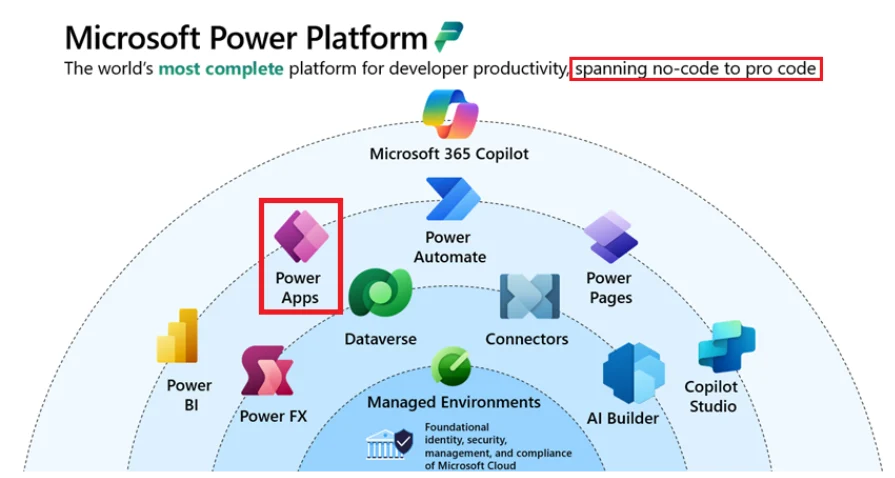
Power Apps applications are important in the corporate world for three main reasons:
- The platform has matured dramatically: it now handles simple forms to complex enterprise scenarios and platforms.
- Copilot integration is everywhere and in some cases, it has accelerated app creation.
- All the application types available today cover an good range of use cases and development approaches: no-code, low-code, pro-code and vibe coding.
Canvas apps are the original Power Apps format, the most popular one and they remain the most widely used. As the name suggests, with a Canvas app you can start with a blank “canvas” where you drop and configure buttons, controls, screens and overall design. When working with Canvas Apps, developers do almost everything through a graphical interface, so “You get what you see”. 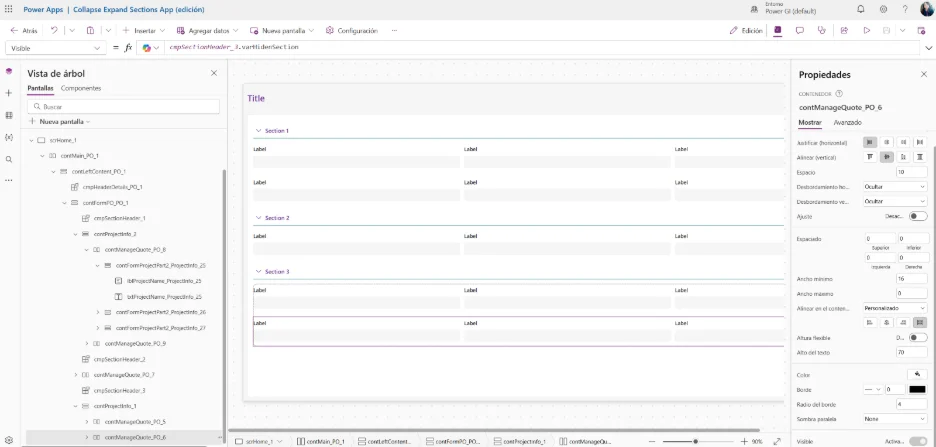
Canvas apps can connect to over 1,000 data sources via connectors. Applications can live inside the Microsoft ecosystem and outside it, such as:
- SharePoint lists
- Dataverse
- Microsoft Excel
- SQL Server (on premises, Azure)
- Oracle Databases
- MySQL Databases
- Salesforce
- Hubspot
- SAP
- Custom APIs
Model-driven apps flip the canvas app concept. Instead of starting with a user interface (UI), you start with your data model in Microsoft Dataverse (create tables, columns, relationships) and the app interface is generated from the structure defined in the data model. The platform handles almost everything else automatically. As the name suggests, a model-driven app is a business application that is driven and built on top of a data model. 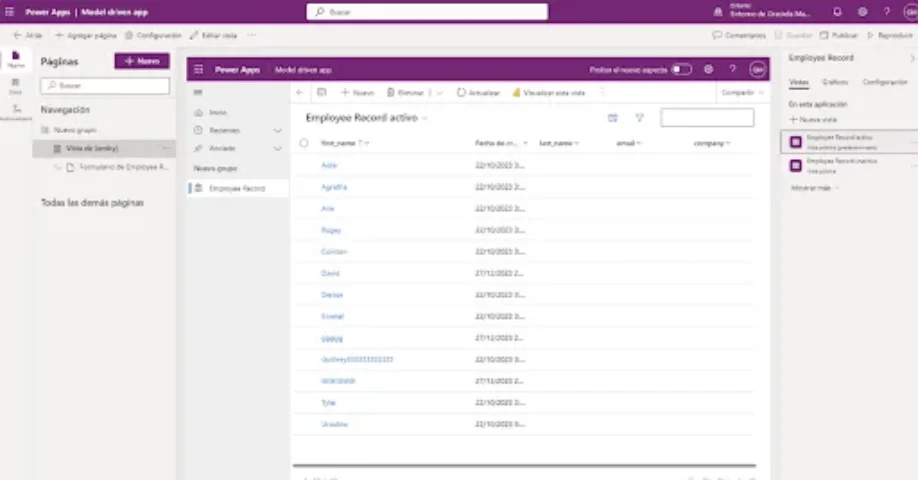
For the application to be automatically generated, the data and data model need to exist in Dataverse, so this is the only data source that can officially be used in Model-driven apps, but Dataverse can also connect to external systems using integrations and Dataflows.
Since these types of apps focus is the data model, the interface design is not so easily customizable as it is for Canvas apps, all model-driven apps have a standard look and feel and design but it can be customized through plugins and JavaScript code.
This is the “new generation” of apps in Power Apps, where the pro-code approach takes a lot of relevance. Code apps allow developers to bring Power Apps capabilities into custom web applications built in popular frameworks like React and Vue. Applications can be developed locally and run in Power Platform.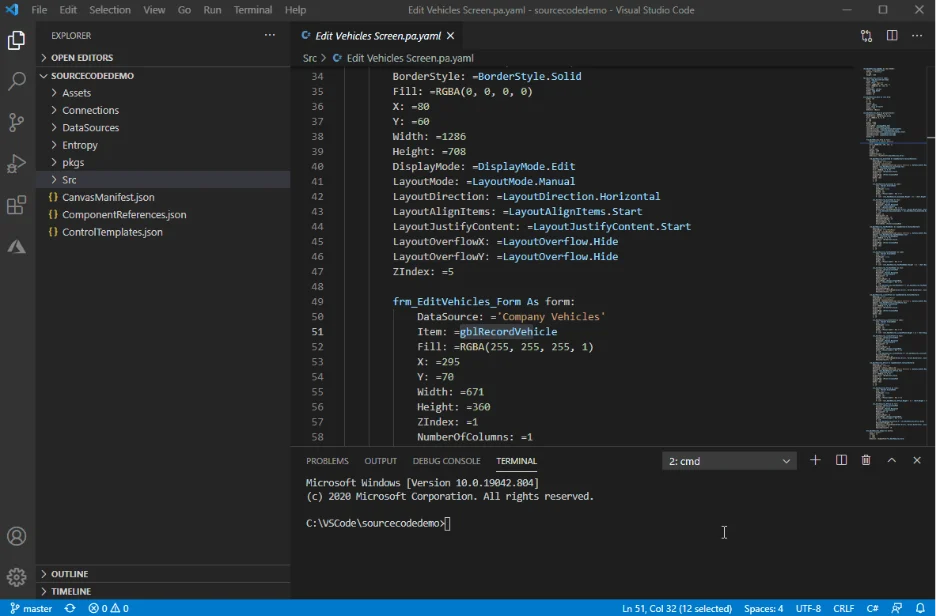
Even if it’s a pro-code tool, it comes with a lot of built-in features and ready-to-use integrations:
- Microsoft Entra authentication and authorization
- Power Platform data sources and 1,500+ connectors (Dataverse, SQL Server, SharePoint, Azure)
- Adherence to the organization’s Managed Platform policies such as app sharing limits or Data Loss Prevention
With Canvas Apps and Model-driven Apps, there were some limitations of what could be possible, because even if a lot of customization could be built, it was not the same as building our own platforms with completely customizable components. With Code Apps, companies get more freedom when it comes to customization and more control over what’s built and what’s not.
Vibe Apps in Power Apps are Code Apps but assisted through AI development agents where apps are generated based on natural language prompts and user intent.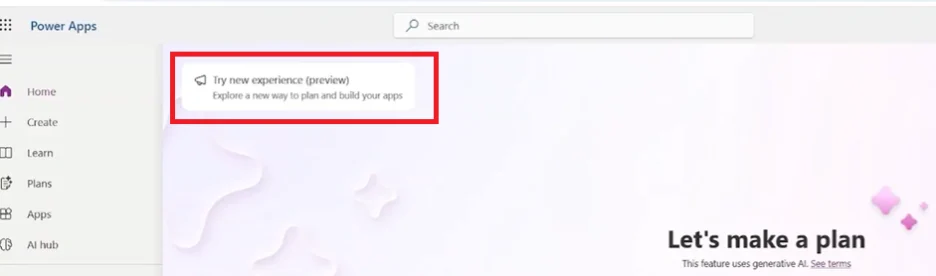
To work with Vibe Apps, just head to vibe.powerapps.com and describe the platform, app or form you’d like to build: 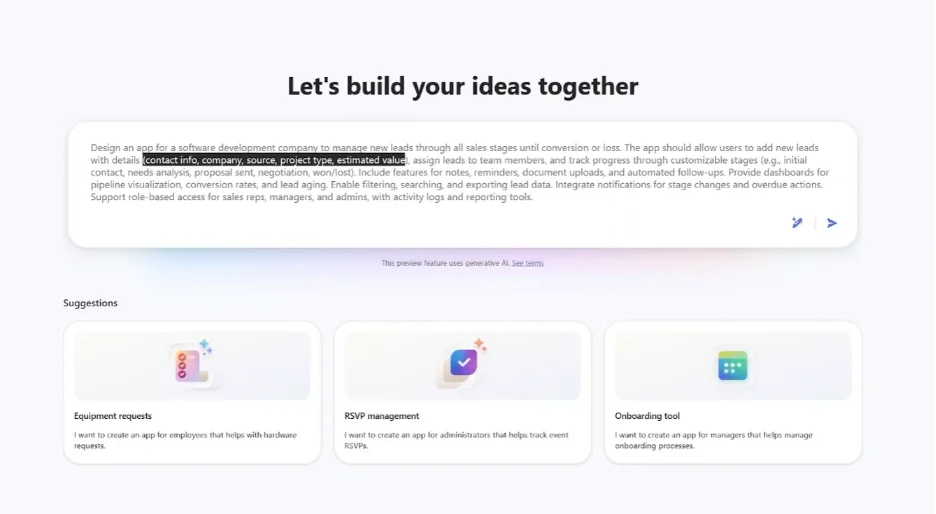
Within minutes, the AI will start generating use cases, a data model and an interface that can start being used immediately. 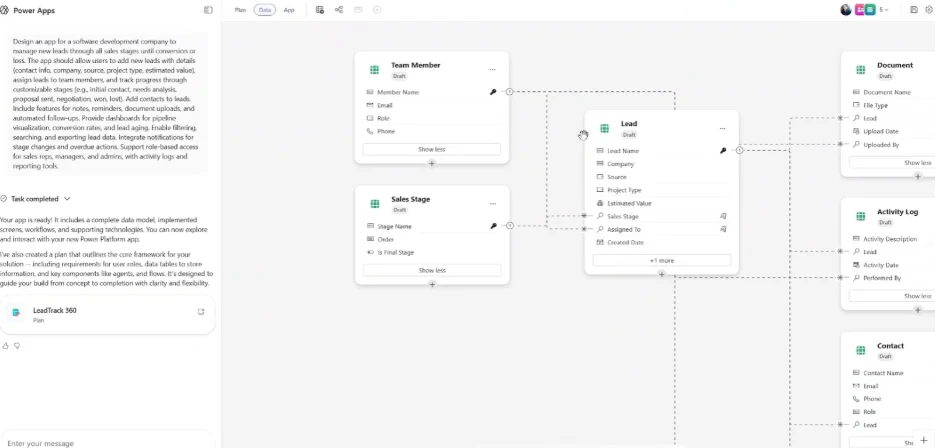
This is an example of a vibe-coded application with options on the left to keep chatting to the agents to request upgrades, changes or adjustments to the application.
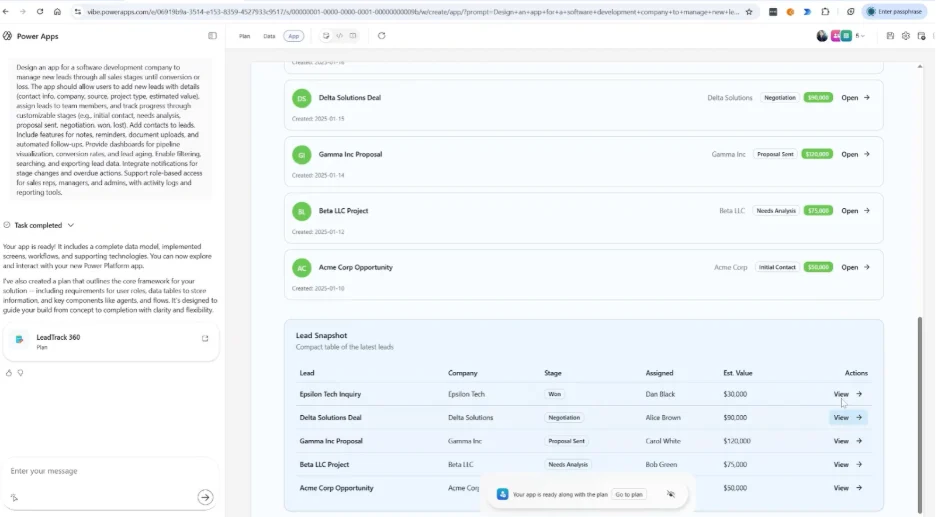
Behind the scenes, what the agents are doing is working with Code apps and generating the code, interface and components through custom code. Here is an example of how the development project files are structured and what code looks like: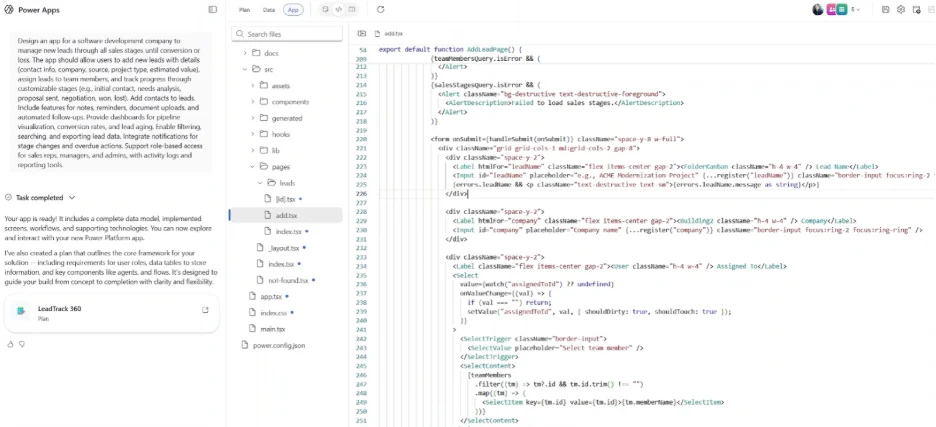
Being able to create applications through natural language is huge and it opens a lot of doors for organizations. Some benefits of code apps are:
- AI-assisted app creation
- Rapid prototyping from simple descriptions
- Continuous improvement through natural languages
- Rapid experimentation