Table of Contents
A shared mailbox is usually where requests pile up faster than one can imagine sometimes and things can get messy really fast:
- Messages get duplicated across team members
- Important messages get lost
- A lot of time spent deleting messages
- Lack of clarity of which rules apply to which messages
But don’t you worry, here is where Power Automate leveraged with AI can be used to read, classify, and route messages automatically. In this blog, we will talk about some options available today and when each is a good idea.
What is an inbox management solution?
An inbox management solution is a system that receives incoming emails, understands what each one is about, and decides what happens next, so people don’t have to triage them manually. Instead of a human reading every message to decide who handles it, the solution does the sorting, extracting, routing, and (when appropriate) replying.
What it’s for:
- Classifying emails by topic, urgency, customer, or language
- Extracting data such as invoice numbers, order IDs, or amounts
- Routing each email to the right person, queue, or system
- Responding automatically to simple requests, or drafting replies for review
- Tracking status and SLAs so nothing stays unanswered
- Creating records in your CRM, ERP, or ticketing tool
5 Best Inbox Management Solutions with Power Automate
Here are the five options I use most, from the simplest to the most sophisticated. Bigger is not better here. The right choice is the smallest one that solves your problem.
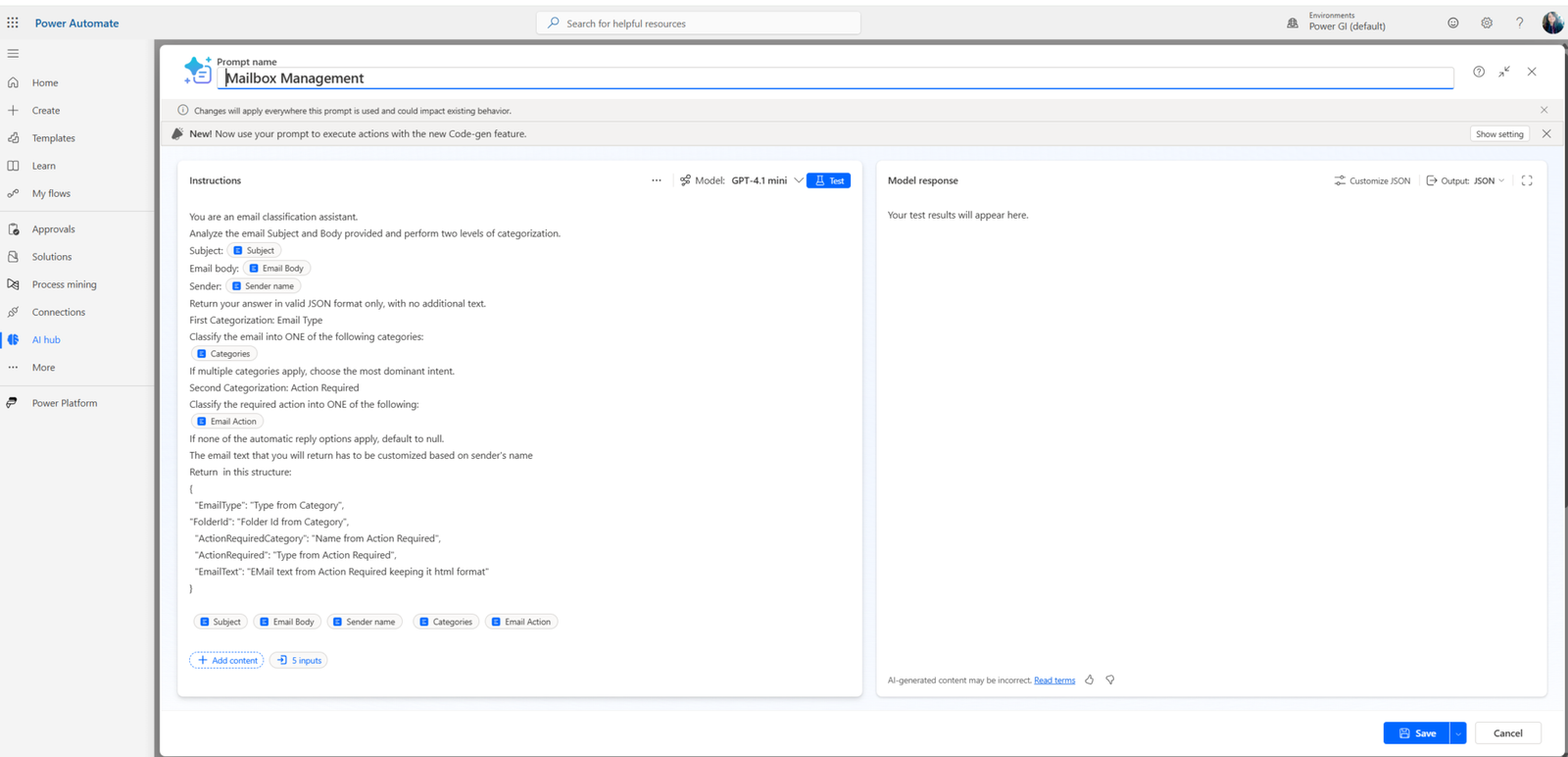
Solution 1: AI Builder + Power Automate
How it works: A Power Automate flow triggers when a new email arrives in a shared mailbox. AI Builder classifies the text (category, sentiment, language) and extracts key fields from the body or attachments, such as invoice numbers or amounts. The flow uses those results to route the email or create a record.
Main features:
- Text classification and sentiment analysis
- Entity extraction from email bodies
- Document processing for invoices, receipts, and forms
- Prompt-based extraction and summarization
- Confidence scores that can trigger human review
Integrations: Outlook and shared mailboxes, SharePoint, Dataverse, Teams, Planner, Excel, and most systems available through Power Automate connectors.
Benefits:
- Fast to build relative to a custom AI pipeline
- Low technical barrier for citizen developers
- Runs within Microsoft 365 governance
- Predictable, easy to maintain
Recommended for: Finance, accounts payable, and operations teams handling repetitive, semi-structured emails.This is also a reasonable first project for a company starting with automation.
Solution 2: Copilot Studio Workflows
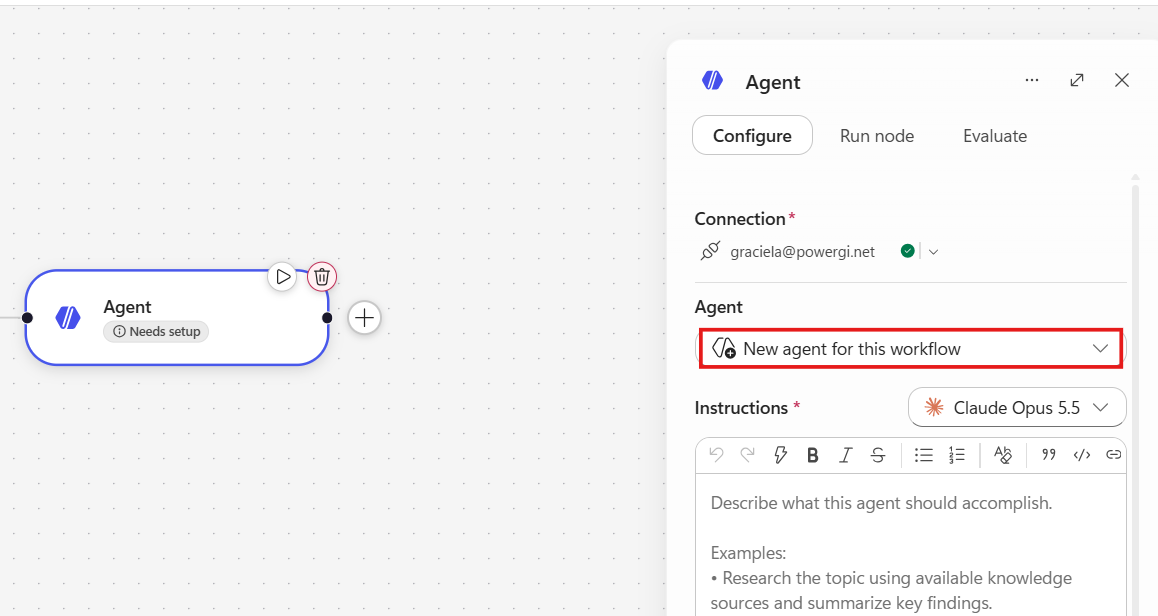
How it works: It’s pretty similar to the AI Builder + Power Automate approach, the email triggers a workflow built in Copilot Studio, where AI steps and deterministic steps live together. The workflow can analyze the email, apply business rules, call other systems, and pause for a person when needed. The main two differences with the Solution 1 are:
- “Prompts” are not available in Workflows, instead we would need in-line agents.
- Copilot Studio Workflows are billed in a consumption basis.
Main features:
- Blend of AI-driven and rule-based steps
- Human-in-the-loop checkpoints
- Standard Approvals, originally a Power Automate connector, is now also available inside Copilot Studio workflows, so a clean, auditable yes/no step can sit alongside the newer, more flexible review actions
- Reusable workflows that agents can call
- Better handling of multi-step logic than a plain classification flow
Integrations: Same as Power Automate
Benefits:
- More flexibility than a fixed flow
- Easier to add oversight where risk is high
- A single environment for AI and process logic
Recommended for: Processes such as claims, purchase requests, or contract intake, where emails start a multi-step process and some steps need judgment.
Solution 3: Copilot Studio Agent
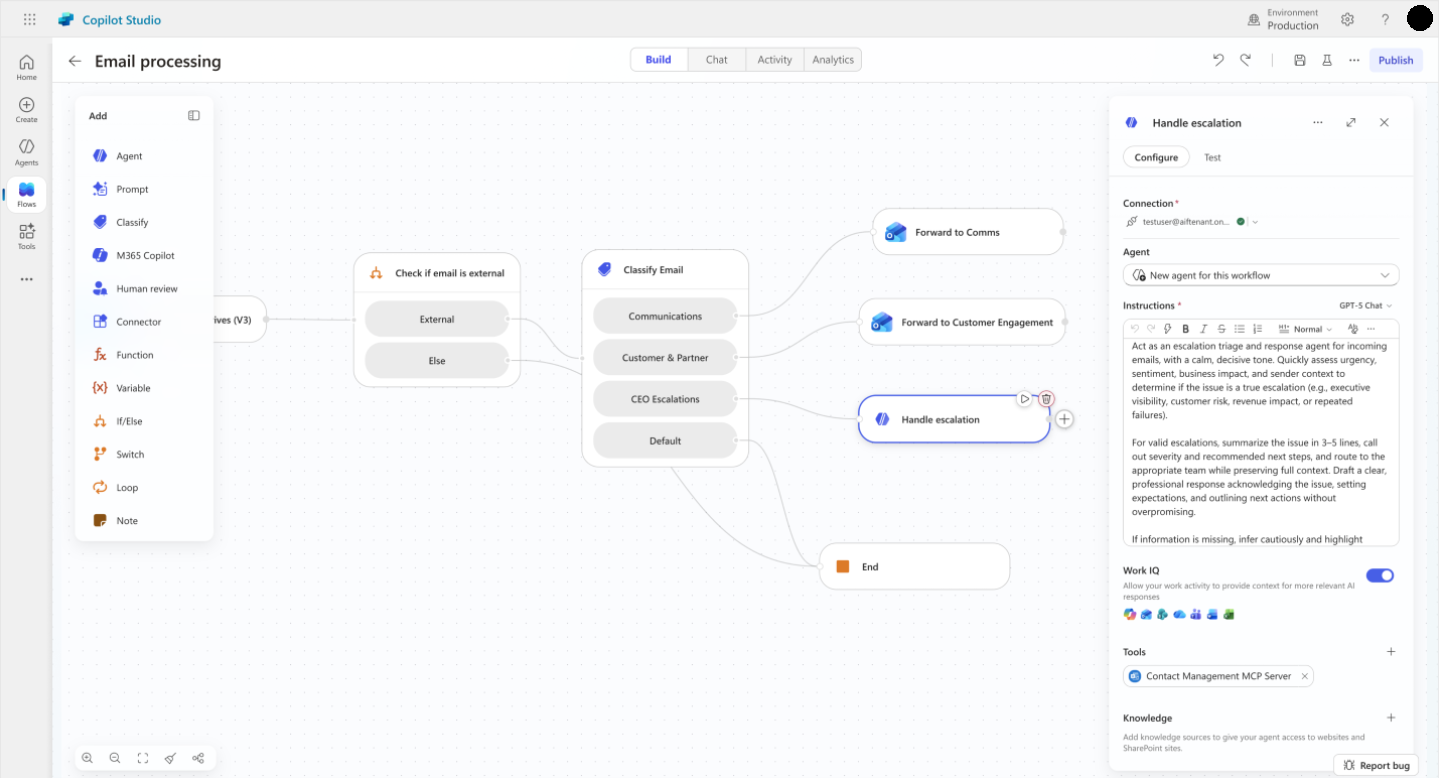
How it works: An agent is triggered by incoming emails, reads the message, consults knowledge sources (policies, FAQs, product catalogs), decides what to do, and uses tools (flows, connectors) to act. It can draft a reply, ask for missing information, or escalate to a person.
Main features:
- Natural language understanding
- Knowledge grounding in company documents
- Autonomous triggers and tool use (depending on the harness)
- Drafting replies in a defined tone
- Escalation to people with full context
Integrations: Outlook, SharePoint, Dataverse, Teams, Dynamics 365, and third-party systems via connectors.
Benefits:
- Handles ambiguous and varied requests
- Can shorten the gap between an email arriving and a useful action
- Improves as instructions and knowledge are refined
Watch out for: Autonomy needs guardrails. Letting an agent send external replies on sensitive topics without review is risky, at least early on. Testing with real, messy emails before going live matters more than testing with clean samples.
Recommended for: Customer service, internal helpdesks (IT, HR), and sales operations with high variety in inbound requests.
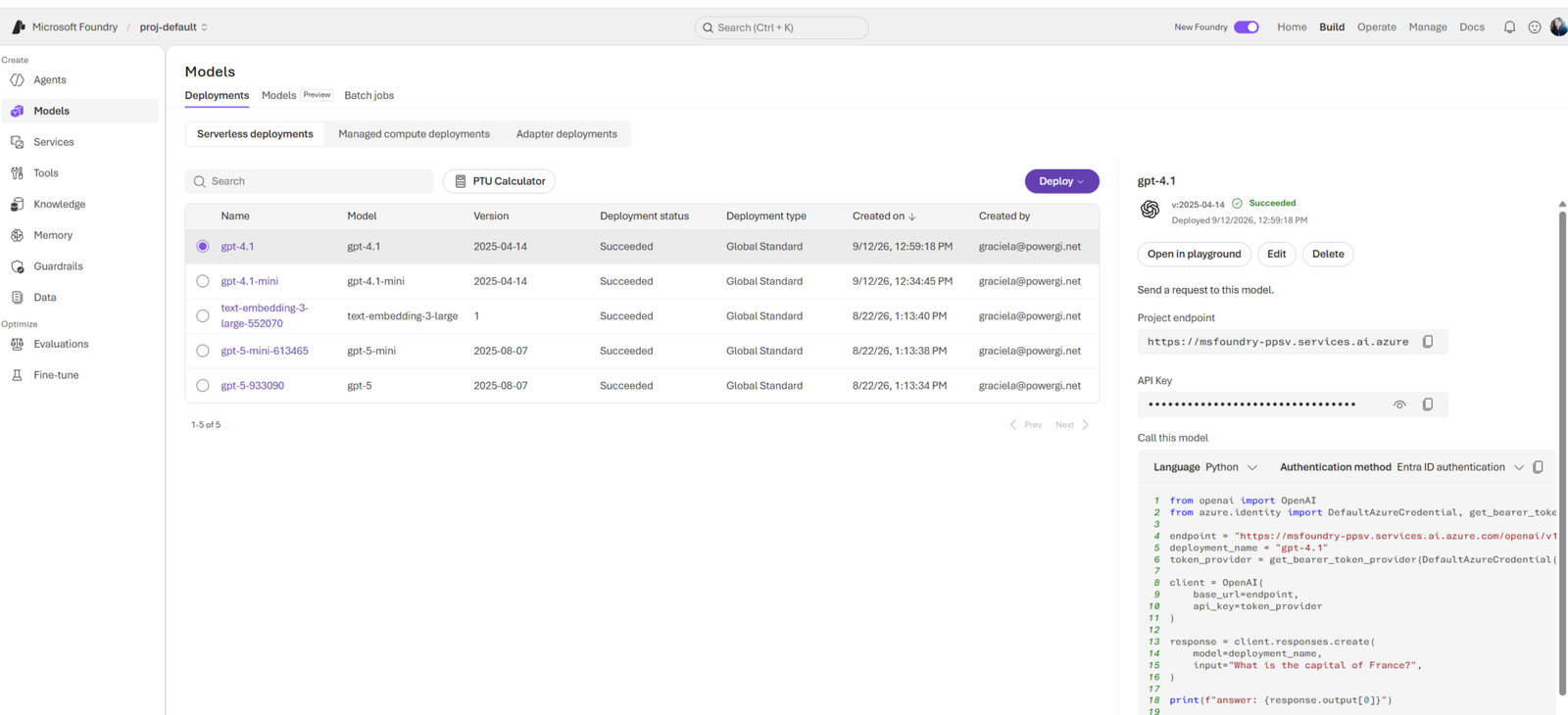
Solution 4: Microsoft Foundry Azure Open AI + Power Automate
How it works: It’s similar to option 1, but it differs on which tool is used for AI analysis of the body of the email. Power Automate handles the trigger and the orchestration. It calls an Azure Open AI service deployed Microsoft Foundry. The result returns to the flow to route, record, or reply. It’s good for high volume, complex documents, or specific accuracy, cost, or compliance requirements that out-of-the-box tools don’t meet.
Main features:
- Model choice and prompt or pipeline control
- Retrieval over large internal knowledge bases
- Advanced document understanding for complex attachments
- Evaluation, monitoring, and cost control
- Fine-grained security and network options
Integrations: Power Automate through HTTP actions or a custom connector, Azure services, Dataverse, and enterprise systems like SAP or Oracle.
Benefits:
- Maximum flexibility and control
- Scales to high volumes
- Better fit for strict data residency or security requirements
Trade-offs: Needs more technical skill, more maintenance, and more governance. Worth considering only once the simpler options clearly fall short.
Recommended for: Large enterprises, banks, insurers, logistics companies, and shared service centers with very high volumes or regulated data.
Solution 5: Power Apps + Power Automate
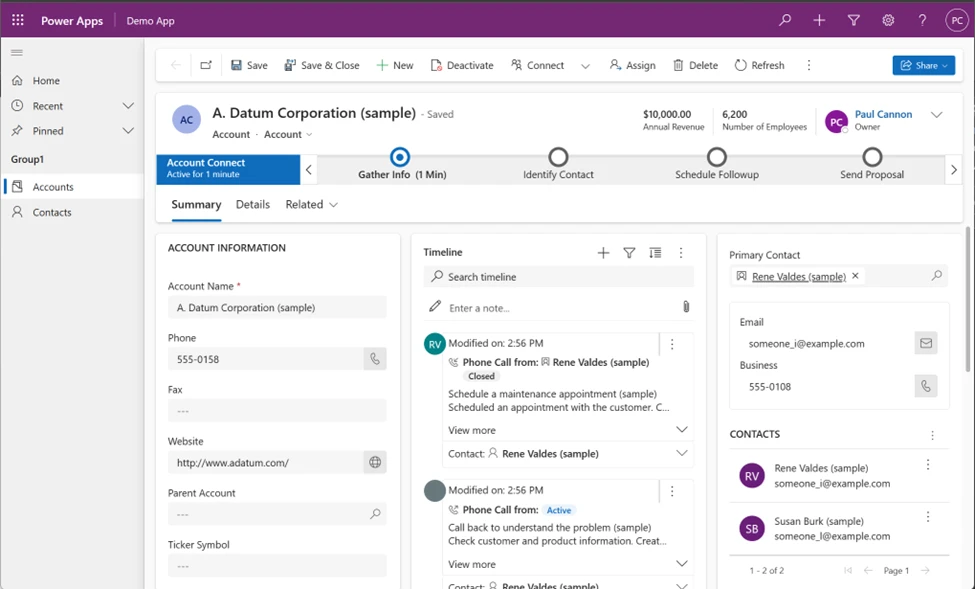
This approach is useful when the team still needs to see, correct, assign, and follow up on email, even after an automation has performed a pre-classification of emails.
How it works: Power Automate ingests each email into Dataverse or SharePoint as a structured item. A Power Apps canvas or model-driven app shows the queue, with status, owner, priority, SLA, and suggested classification. Agents review, reassign, correct AI results, and reply from within the app. Flows handle notifications and escalations.
Main features:
- A unified queue with filters by status, owner, and priority
- Assignment and reassignment
- SLA timers and overdue alerts
- Side-by-side view of the email and AI-extracted data
- Audit trail of who did what
Integrations: Outlook, Teams, Dataverse, SharePoint, Power BI for reporting.
Benefits:
- Full visibility of the workload
- No duplicated work or lost emails
- Every correction becomes data that can improve the automation
- Works alongside any of the four solutions above
Recommended for: Any team where accountability matters. Often combined with Solution 1 or 3, and one of the best return-on-effort combinations available.
What Should an Inbox Management Solution Include?
Any solution should cover the basics: classification, routing, tracking, human review for uncertain cases, and logging.
Core capabilities:
- Reliable email ingestion (shared mailboxes, aliases, attachments)
- Classification and prioritization
- Data extraction and validation
- Routing and assignment
- SLA tracking and escalation
- Human-in-the-loop for low-confidence or high-impact cases
- Reporting and analytics
- Full audit log
How to choose the right Inbox Management solution for your team
We don’t always need the most shiny-new feature for our automation, we just need what solves the business requirement we are trying to cover.
When selecting the right tool, ask the following questions:
- How varied are your emails?
- How many steps does the process have?
- What is the risk of a wrong action?
- What is your volume?
- Who will maintain it?
- Do you have regulatory or residency constraints?
- Do people need to work the queue?
The general conclusion is:
- AI Builder and Power Automate and Copiot Workflows cover the structured cases well.
- Copilot Studio agents are for more complex scenarios.
- Foundry gives you full control when scale or compliance demands it.
- Power Apps gives your people the console to stay in charge.
3 Power Platform automation partners in LATAM for an inbox management solution
If you’d rather not build your inbox solution alone, these partners have hands-on experience automating processes with the Power Platform across Latin America.
1. Rhino Systems (Mexico)
Rhino Systems is based in Mexico City, with offices in León and Monterrey, and experience with all the Microsoft ecosystem and Microsoft Dynamics. Rhino is a good fir for mid-size and large companies in Mexico, especially those already running Dynamics 365.
2. Latinshare (Chile)
Latinshare is a Chile-based Microsoft partner specializing in Microsoft 365, Azure, and Power Platform, they also run “Apps in a Day” workshops that take teams from idea to working application and have presence in Mexico. Latinshare is a good fit for companies in Chile already working on Microsoft 365.
3. Power [GI] (El Salvador)
We have to be on this list for sure! We live by our motto “discover the joy of automation” and we have been helping clients across the world to achieve this since 2021. Our services focus on Power Platform consulting, Power Apps, Power Pages, Copilot Studio, Power Automate, and Power BI with Microsoft Fabric. We’re a good fit for small and mid-size teams that want solutions that leverage their existing Microsoft ecosystem subscriptions.
Build a Custom Inbox Management Solution in LATAM with PowerGI
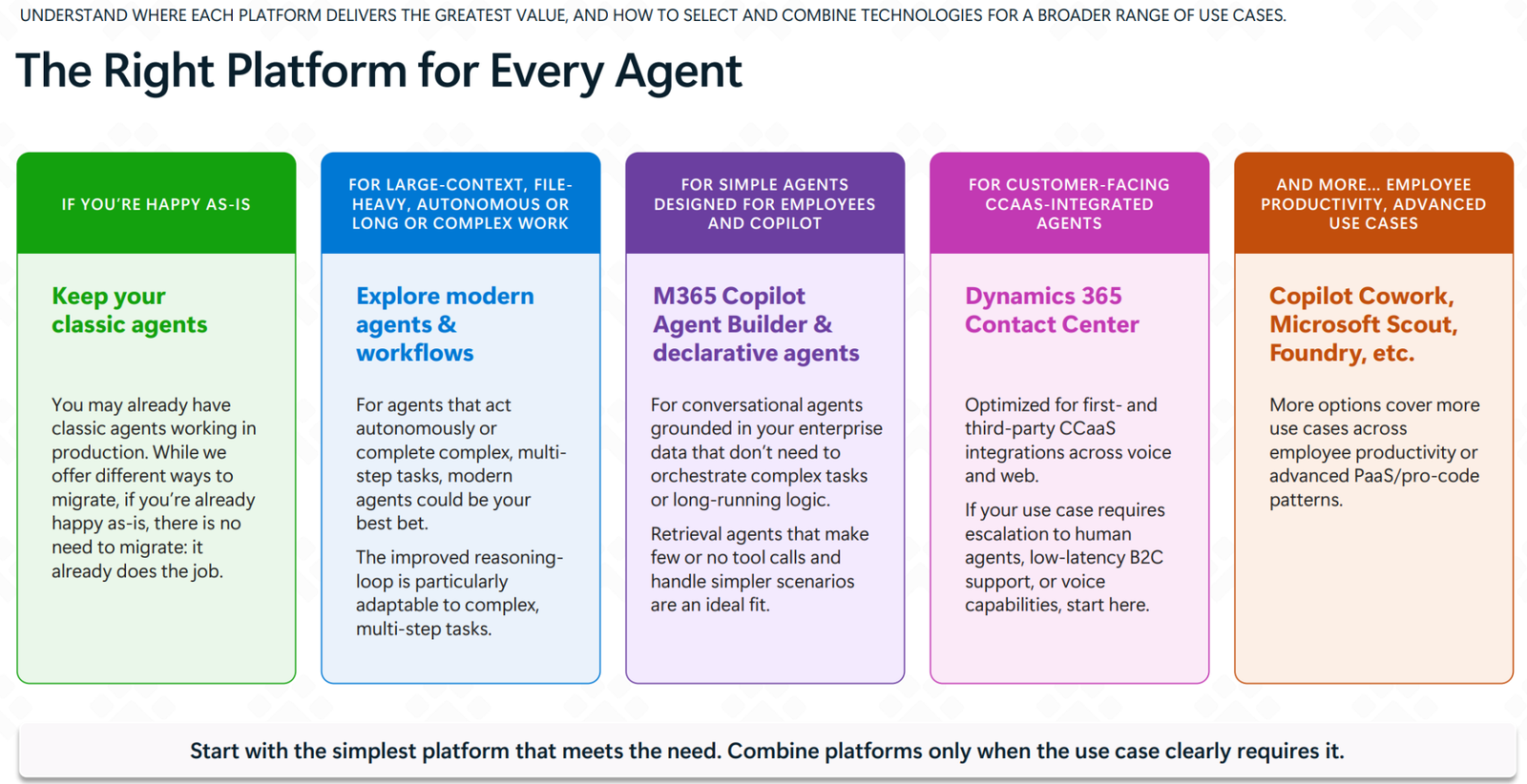
Microsoft guidelines for picking the right toolset for a business requirement is: “Start with the simplest platform that meets the need. Combine platforms only when the use case clearly requires it”.
At Power [GI], using our experience in Power Automate and our Copilot Studio services, we help teams design and build inbox management solutions across the Power Platform and the whole Microsoft ecosystem, considering the specific requirements and the available licensing and tools.