Table of Contents
In our previous post, Copilot Cowork Billing: Set Up Copilot Credits Step by Step, we showed how to set up Copilot Credits for Copilot Cowork. Back then, we showed the process of buying credits through an Azure pre-purchase plan but the “classic” package of 25,000 credits that has been available since the AI Builder credits days was nowhere to be found. It was because the product name had change, it no longer has “credits” or “add-on” in the name. It’s called “Microsoft Copilot Studio” and it can be found in the admin center. In this post, we’ll show you where to find it.
What is the 25,000 Copilot Credit capacity pack?
Copilot Credits are what Copilot Studio agents, AI Builder, Copilot Workflows and Copilot Cowork consume when something is done in any of these tools. Copilot Credits can be paid based on consumption, or they can be paid in advance with pre-purchase packages.
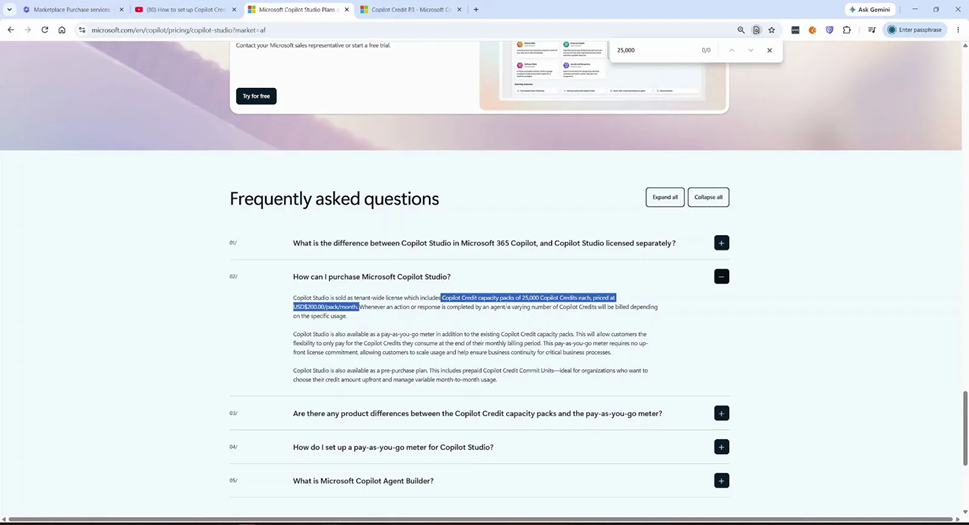
The Copilot Credit capacity pack will give you around 25,000 Copilot Credits to use and distribute across the Copilot AI tools. The price starts at 200 USD per pack per month but can be either 210 or 240 USD depending on which subscription lenght and frequency you decide to buy.
How to buy the capacity pack step by step
Step 1: Open the Marketplace in the Microsoft 365 admin center
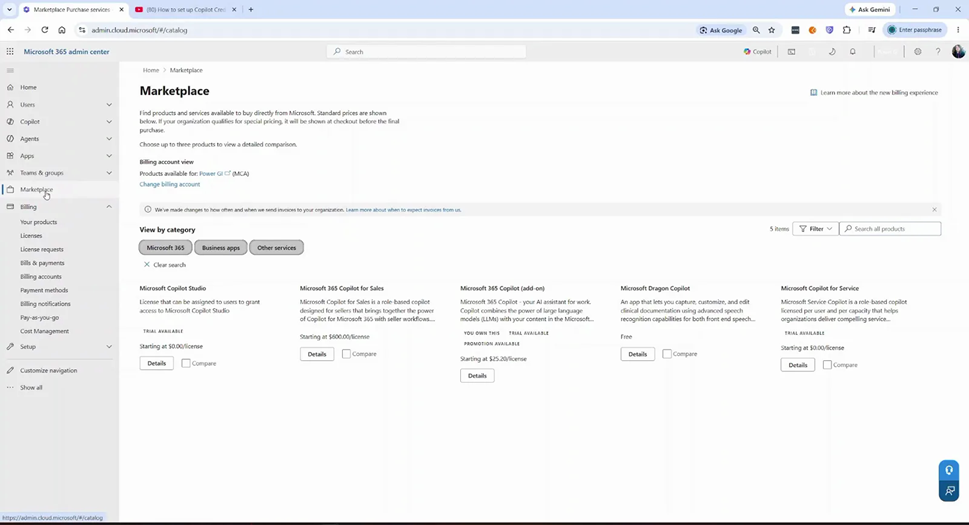
Sign in to the Microsoft 365 admin center and click Marketplace in the left navigation. Here you’ll see products you can buy directly from Microsoft.
Make sure the Billing account view shows the right billing account for your organization.
Step 2: Search for Microsoft Copilot Studio
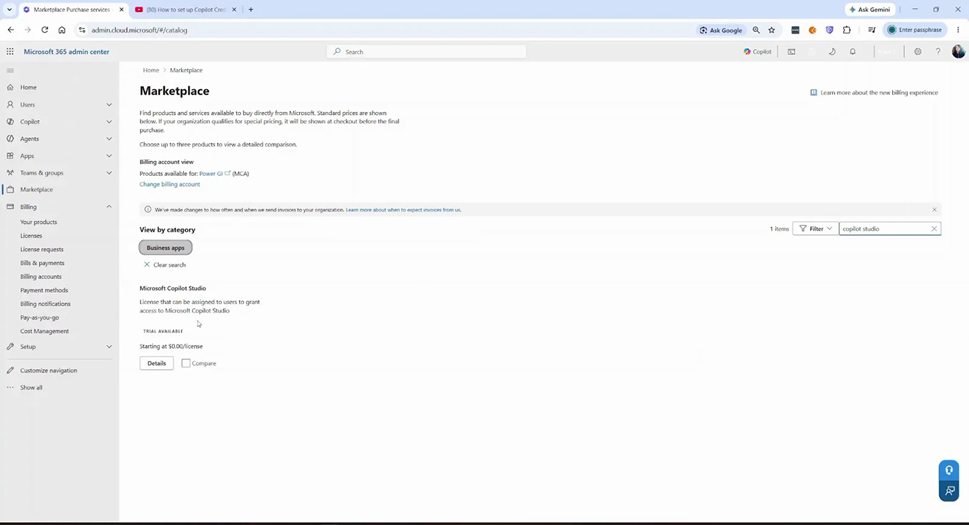
Type copilot studio in the search box. You’ll find Microsoft Copilot Studio under Business apps. It shows “Starting at $0.00/license”, because the user license itself is free. Don’t worry, the capacity pack is inside. Click Details.
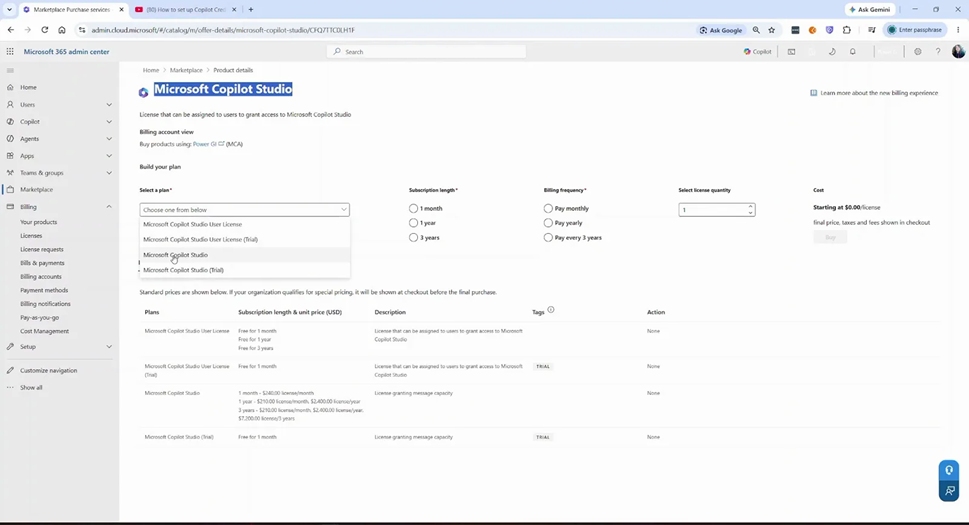
Step 3: Select the "Microsoft Copilot Studio" plan
Under Build your plan, open the Select a plan dropdown, pick the Microsoft Copilot Studio option. In the plans table, its description is “License granting message capacity“. That’s the capacity pack.
Step 4: Choose subscription length and billing frequency
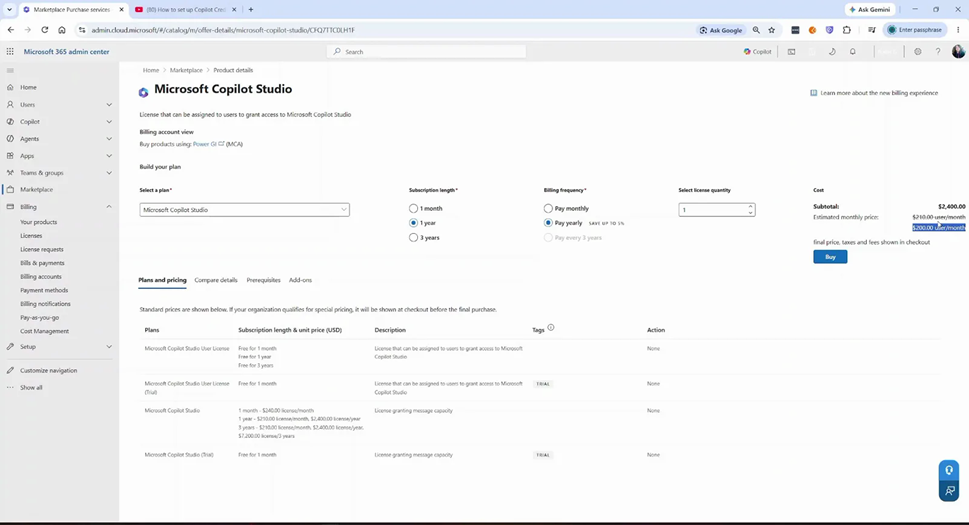
This is where the price changes depending on the frequency and lenght. To get the $200 price, select:
- Subscription length: 1 year
- Billing frequency: Pay yearly
But if you don’t want to commit and just want to try the service for one month, select
- Subscription length: 1 month
- Billing frequency: Pay monthly
This will result in a price of 240 USD/month.
Subscriptions and billing frequency comparison
The Plans and pricing tab shows all the prices for the Microsoft Copilot Studio plan:
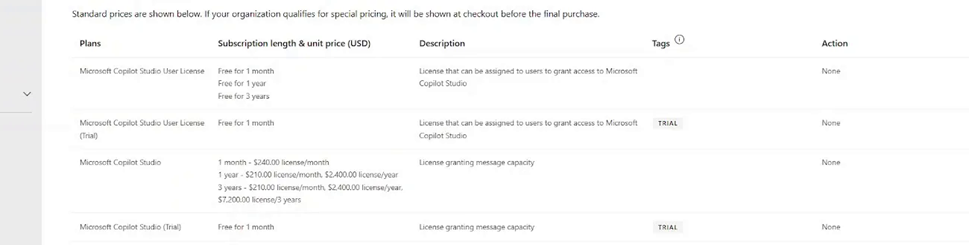
Subscription length | Billing frequency | Price per pack |
1 month | Pay monthly | $240.00/month |
1 year | Pay monthly | $210.00/month |
1 year | Pay yearly | $2,400.00/year ($200/month) |
3 years | Pay monthly or yearly | $210.00/month or $2,400.00/year ($7,200 for 3 years) |
The $200 price only applies when you commit a year and pay upfront. Monthly is more flexible but costs between $10-$40 more per pack.
Watch the videos
Prefer to follow along on video? Here are both walkthroughs.
How to buy the $200 Copilot Studio capacity pack (25,000 credits)
How to set up Copilot Credits billing for Copilot Cowork (step by step)
Conclusion: Start small with Copilot Credits
If the Azure pre-purchase plan is too big for where you are today, the 25,000 Copilot Credit capacity pack is the easiest way to start. It’s available directly in the Microsoft 365 admin center Marketplace, costs $200/month on a 1-year plan paid yearly (or $210-$240 depending on length and frequency).
Contact us today if you need some help choosing the right billing option, or setting up Copilot Studio and Copilot Cowork for your organization.